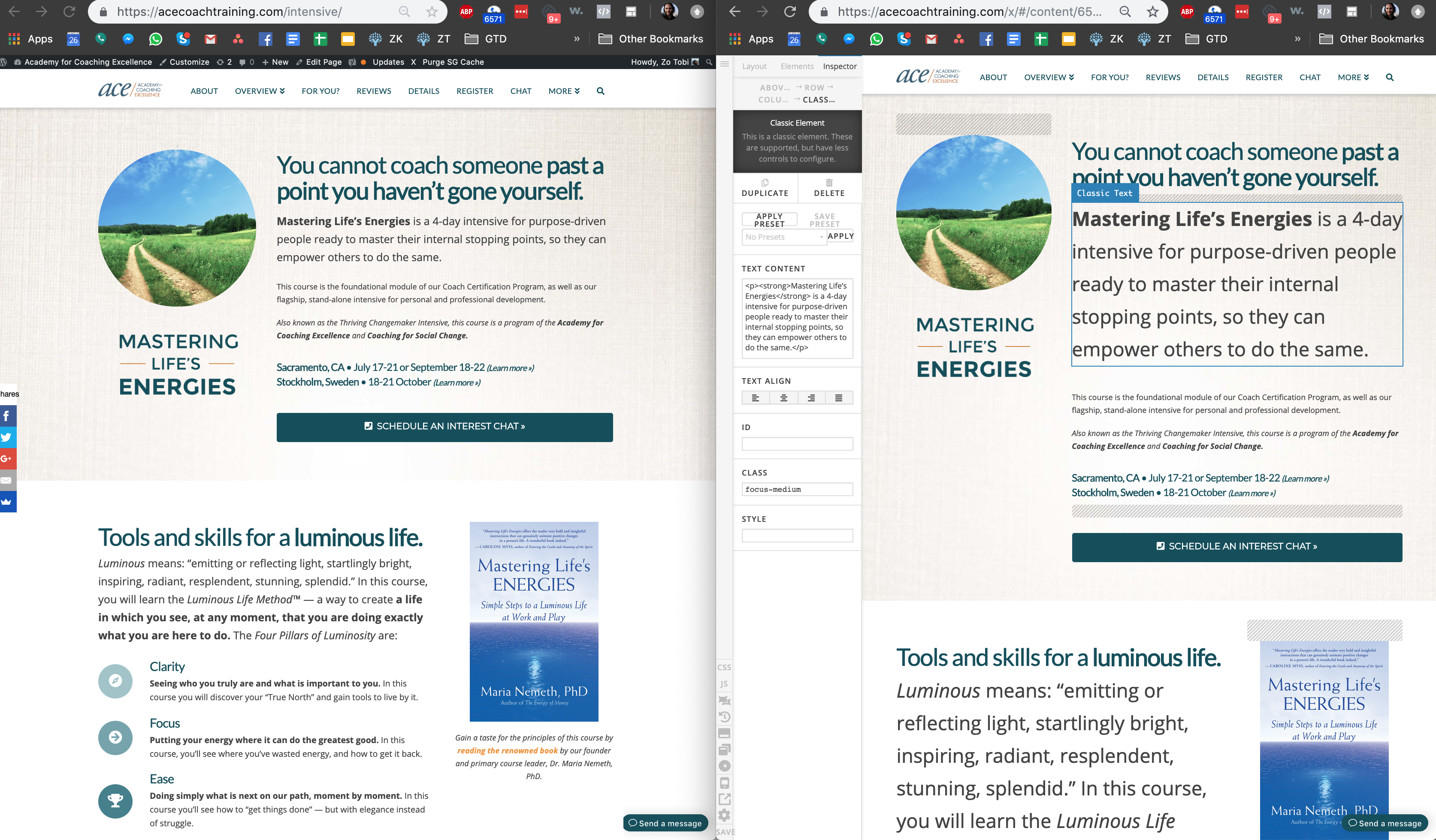
Hi friends,
We added global CSS to increase the font size for certain text, and it’s showing up WAY disproportionately huge in the Cornerstone Editor, which is making it very difficult to edit webpages.
Can you please help? Thanks!!
Hi friends,
We added global CSS to increase the font size for certain text, and it’s showing up WAY disproportionately huge in the Cornerstone Editor, which is making it very difficult to edit webpages.
Can you please help? Thanks!!
Hello @wAymAnn,
Thanks for writing in!
I have inspected your page and I found out that in the Text element > Customize settings tab, you have added a custom focus-medium class. The custom class has a custom css applied to it.
.focus-medium {
font-size: 1.8em;
}
Please remove the custom class apply to the text element to resolve this issue.
Kindly let us know how it goes.
This topic was automatically closed 10 days after the last reply. New replies are no longer allowed.