Cornerstone EDIT not loading

Hey there

Since the big cornerstone update I’ve gotten almost all of my websites back up and running again. Except one; this on gets stuck most of the time while loading the EDIT of any page inside Cornerstone. I’ve checked the PHP Version (7), purged the cache, disabled all plugins (there’s actually none except cornerstone running right now) and added the good 'ol MEMORY LIMIT trick to the wp-config.

What is interesting is, that depending on the network I’m connected to, it sometimes manages to load the editor. But especially on Mobile Hotspots, it seems to get stuck (while all of my other X-websites load correctly).

I will send you my credentials in the next post. Please let me know if you need any further information.

Thanks in advance.
Beni
Hey Beni,

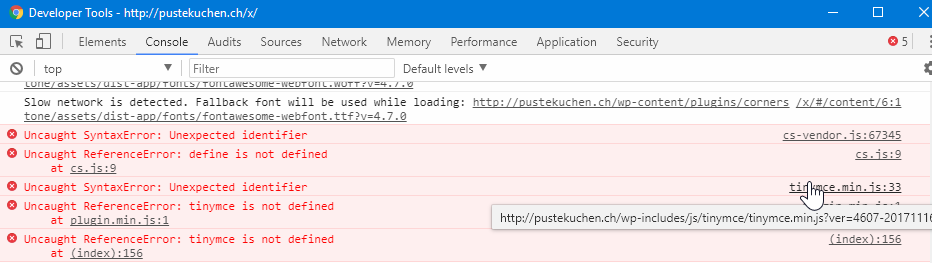
I see the issue happening on your site but the only possible conflict I see currently is with WordPress’ TinyMCE.

Would you mind reinstalling WordPress? Also, are you on a Windows server? Can you also give us FTP access?

Thanks.

Hey there

Since I don’t know how to just re-install Wordpress I went through the trouble of making a fresh, clean installation on dev.pustekuchen.ch and imported all the settings (X) and content (WORDPRESS). -> Same results.

Credentials are coming up, including FTP.
I am running around 15 X-Sites on this Hosting with multiple Accounts.

regards

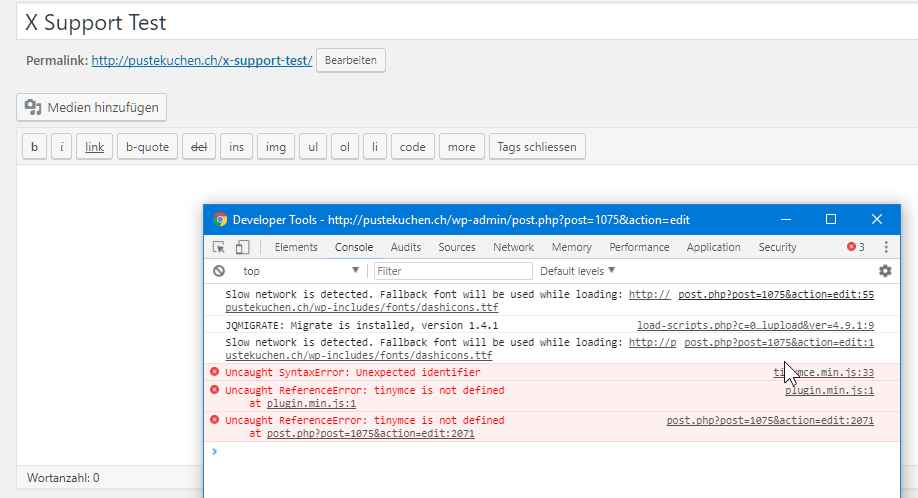
also, here’s the ERROR’s on my end
Hi there,

The dev site works on my end on my first try. Then your site became inaccessible, perhaps there is a security that blocks user when it reached specific requests count? Are you on shared hosting? I’ll try it again later, but your site is completely down now.

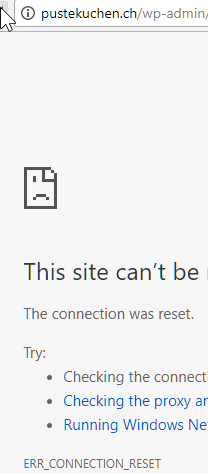
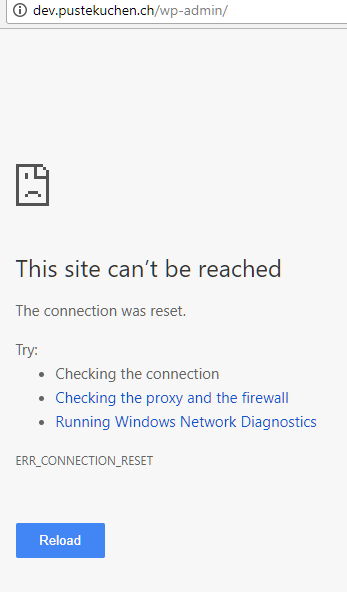
This site can’t be reached

***********.ch took too long to respond. Try: Checking the connection Checking the proxy and the firewall ERR_CONNECTION_TIMED_OUT

Thanks!

Strange. But as I mentioned before, the Error is inconsistent. I can load cornerstone on my home network (even though it takes forever as cornerstone is at the moment) but as soon as I switch to a Mobile Hotspot it brakes. Slow connection could therefore be an issue, but all my other sites work.

What do you make of the errors I’ve posted above? Does this give you an clues?

Hi there,

The errors are indicating some kind of server side errors. Can you please contact your host regarding this?

Best regards.

I just got off the phone with my host. They can’t figure out what seems to be the issue. Also they couldn’t replicate the problem on their end. The fact, that I have 10+ similar setups running on their hosting in different accounts doesn’t really help my argument, that the problem should be on their side.

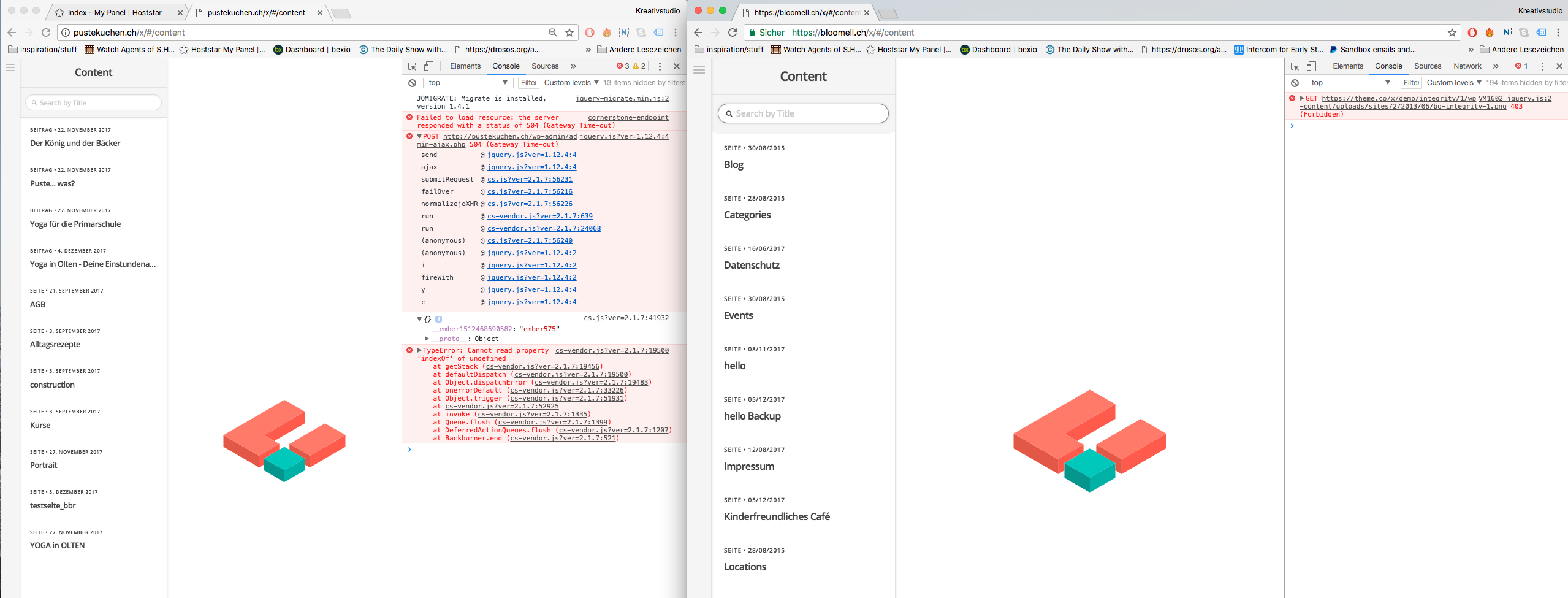
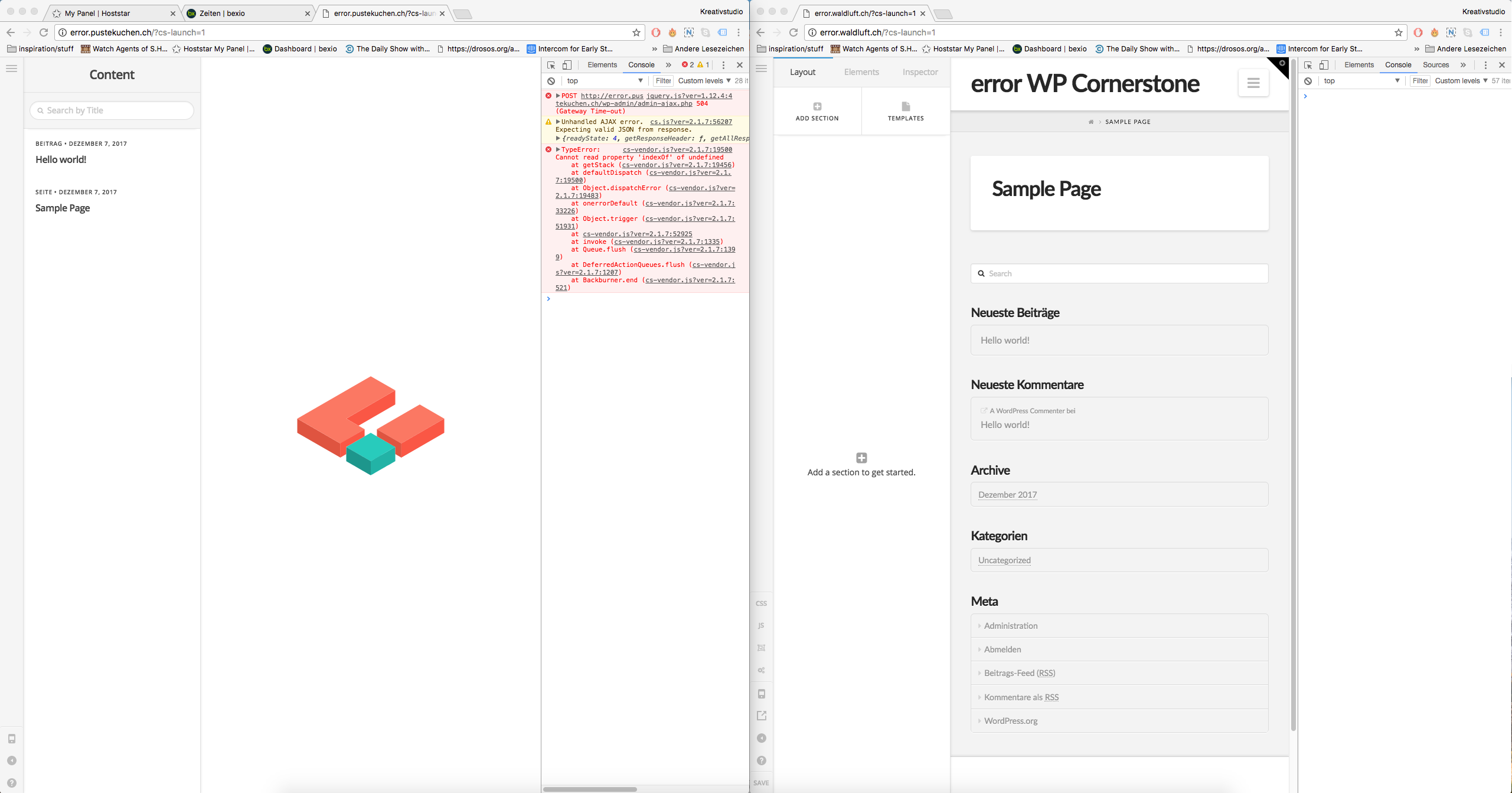
Attached is a screenshot with the Errors, on the left the edit view is not loading, on the right (same Wordpress and X installation, same Hosting) one of my other sites that run fine.

Please tell me, that I don’t have to google all those errors myself, I’m not a technician and it will take forever for me to solve this problem by myself.

Hey @bbrennwald,

I was checking your live and dev sites and suddenly, they are not accessible.

Please check with your host to get it back up online.

Thanks.

Everything working fine on my end and has been for the last couple hours. What to do now?

Hey @bbrennwald,

Your site loads fine now. I’m very sorry to say though that after having exhausted all the troubleshooting techniques I know, Cornerstone still doesn’t load. In your test site, even I switched to the default theme and deactivated Cornerstone, the TinyMCE error, which I suspect is causing the issue, is still there.

This tells us there is something in your server or WordPress setup is causing this. Can I ask a favor to try replicating your setup in http://pantheon.io/. You can setup a free test site in there. You can also setup a test site at http://poopy.life/. This is for troubleshooting purposes and I’m not suggesting a host change though if you want, here’s a guide.

Thanks.

I’ll check again with my host. If thex can’t find something I’ll replicate the setup within the same Hosting on a different account first to see whether ist might just be one of their servers. I’ll come back to you…

Thank you. Let us know how it goes.

I’ve been talking to my Host – they can’t really find any problems yet. We’re trying setups on different servers now. I’ll let you know how it goes…

Thanks. The result will give us more details.

Yep, they do. I’m running two fresh wordpress installations with no custom content and the same X-theme upload without registration, on two different Accounts within the same Hosting (two different servers). Error is consistent now. If they can’t find what’s causing it I’ll try to at least have my Data moved to a working server. Keep you postet, suggestions are welcome…

Just got off the phone again, the Hosting company still can’t really find the problem. We’re looking at the DNS now, and running a couple more setups on different URL’s. The main Problem is, that their Server is not giving the 504 response and we don’t know what is then.

On a different Note, I’ll post you the Error’s they do find (on all setups) for future updates:

[Fri Dec 08 10:21:13 2017] [error] [client 178.197.224.148] File does not exist: /home/www/web84/html/error-waldluft/wp-content/plugins/cornerstone/assets/dist-app/css/preview.css.map
[Fri Dec 08 10:21:14 2017] [error] [client 178.197.224.148] File does not exist: /home/www/web84/html/error-waldluft/wp-content/plugins/cornerstone/assets/dist-app/js/cs.map
[Fri Dec 08 10:21:14 2017] [error] [client 178.197.224.148] File does not exist: /home/www/web84/html/error-waldluft/wp-content/plugins/cornerstone/assets/dist-app/js/cs-vendor.map
[Fri Dec 08 10:21:45 2017] [error] [client 178.197.224.148] File does not exist: /home/www/web84/html/error-waldluft/wp-content/plugins/cornerstone/assets/dist-app/js/cs-vendor.map
[Fri Dec 08 10:21:45 2017] [error] [client 178.197.224.148] File does not exist: /home/www/web84/html/error-waldluft/wp-content/plugins/cornerstone/assets/dist-app/js/cs-vendor.map
[Fri Dec 08 10:21:45 2017] [error] [client 178.197.224.148] File does not exist: /home/www/web84/html/error-waldluft/wp-content/plugins/cornerstone/assets/dist-app/css/preview.css.map
[Fri Dec 08 10:21:45 2017] [error] [client 178.197.224.148] File does not exist: /home/www/web84/html/error-waldluft/wp-content/plugins/cornerstone/assets/dist-app/js/cs.map

I’ll get back to you as soon as I know more.

Sure, please let us know. And you may ignore that errors, the developer tools are looking for map files for debugging. Unfortunately, commercial themes or plugins don’t provide files for code debugging since the core js files aren’t meant for editing and customization.

OK, problem “solved”

The Hosting company moved my Account to another server – now it’s working fine. No one understands, why or how this was happening.

Thanks for hanging in there guys.
Beni

You’re welcome :slight_smile: