Cornerstone doesn't save changes

Hi,

We’ve had some issues with Cornerstone since the last update. In practice, I can only save once before the page stops saving (the green bar on the top doesn’t go all the way in).

I’ve increased the memory allocation and checked from the server that it has taken place. In another thread I saw about requirements for PHP versions and such: ours are up to date.

Besides that, we’ve deactivated any potentially conflicting plugins one by one and have noticed no difference. I’ve also removed some scripts from the source code.

Occasionally I get Cornerstone to work for one save if I flush all the cache, but after that it gets stuck again.

Any ideas how to solve this? I’ve added login details below.
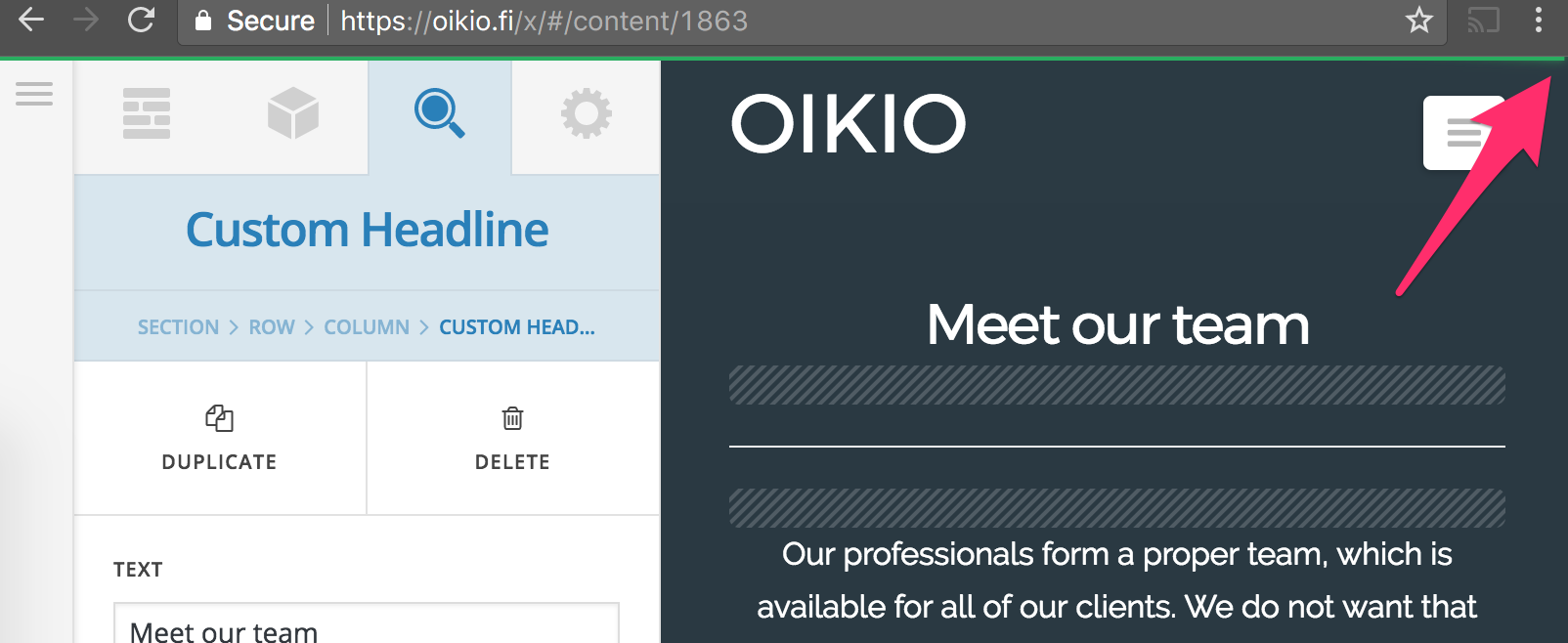
Hi There,

I Could not replicate the issue on my end.

Is this issue specific to any page? On which browser and device?

Let us know more details

Thanks

Hi,

This happens at least on Chrome (latest version) and Safari (10.1.2). It’s not only my computer, because 2 of my colleagues suffer from the same thing. We are all running MacOS Sierra (10.12.6).

The problem has occurred at least on these pages:

As I said, I’ve tried it in incognito mode as well without any browser extensions so those shouldn’t be interfering either.

Hello There,

This could be a caching issue since you have installed WP Super Cache, please clear your plugin cache before testing your site. This can cause the changes to not take place on the front end. It will eventually show up when the cache regenerates, but it’s not ideal if you’re looking to see your changes immediately. Caching plugins are best to turn on only when you’ve finished building the site.

I recommend that you temporarily disable the caching plugin and test your site again.
Please let us know how it goes.

I’ve disabled the caching plugin and tested like that, doesn’t really solve anything. I also deactivated another plugin (Duplicate posts & pages) as I saw it severely impacted pageload time, but neither of these things had an impact this Cornerstone issue.

Cornerstone used to work fine until few weeks ago and we never had any issues with it.

I am having the same issue.

Cornerstone seems to save the page changes, but then when I visit the page, it hasn’t changed anything.

I also have deactivated the cache plugin.

@Joona please ask your host if your site’s resources has been limited this week. Please also give us cPanel access.

@vmatt21, you can wait until this issue is resolved or open a separate thread for your issue.

Thanks.

Hi,

I’ve contacted SiteGround support and they did not detect any changes to hosting resources. We are on their biggest plan so the resources are more than enough for a site of our size.

I’ve added the logins to our cPanel below.

Hello There,

Thanks for providing the information. We have logged in and it turns out that SuperCacher is turn on. This must be the cause of the issue. The SuperCacher is developed by SiteGround exclusively for their customers. It increases the number of hits a site can handle and boosts the website loading speed. The SuperCacher includes 4 different caching options for maximum optimization of your websites. You can access the tool by clicking on the SuperCacher icon in your cPanel.

For more information about this, please check it out here: https://www.siteground.com/tutorials/supercacher/supercacher_intro.htm

I have flush the cache already. Please check your site again.

Still the same thing:

I have tried it using FF, Safari and Chrome. Saves occasionally, but most of the time does not. That just means that I need to redo all the changes again and again, which is extremely frustrating.

SuperCacher has been turned off.

Hello There,

Thanks for updating in! I have investigated your site again and I can confirm that you cannot save the english version of the page. When you save it, there is an error in the page.

This may have come from the custom permalinks you have set or coming from the permalinks of Polylang. Please check out your settings. You may update it by just hitting the save button.

Please let us know how it goes.