I am using cornerstone on a custom theme and when I creating a page and changing i.e the margins on a section is not overriding the default CSS in the cornerstone stylesheet.
Hi,
Thanks for writing in! To assist you with this issue, we’ll first need you to provide us with your URL. This is to ensure that we can provide you with a tailored answer to your situation. Once you have provided us with your URL, we will be happy to assist you with everything.
Thank you.
I attatched a secure note with a link to the site. An example of the issue is on the homepage the first text block “Guard-It Storage is a family owned…” should have 0 padding.
Hi There,
It does not have any padding, it actually has margin-bottom, you can add the class man to the custom headline, man stands for margin all none. If you still behave you are facing issues, please provide your admin credentials in a secure note and point the specific page where you are facing the issue so we can take a closer look.
Thanks!
You may not be understanding what Im trying to explain. If you look at the first element on the homepage with the text starting with “Guard-It Storage is a family owned…”. In cornerstone editor I made that “intro” section have 0 padding, but if you look on the site the padding: 0 is not being used. Instead the default code with 45px is being used. But if you comment out that line of code you will see the intro section should have 0 padding. For some reason the cornerstone customizations are being overridden by the default CSS.
#cs-content .x-section {
position: relative;
margin: 0 0 1.5em;
padding: 45px 0;
}
I attached a screenshot showing the padding is 0.
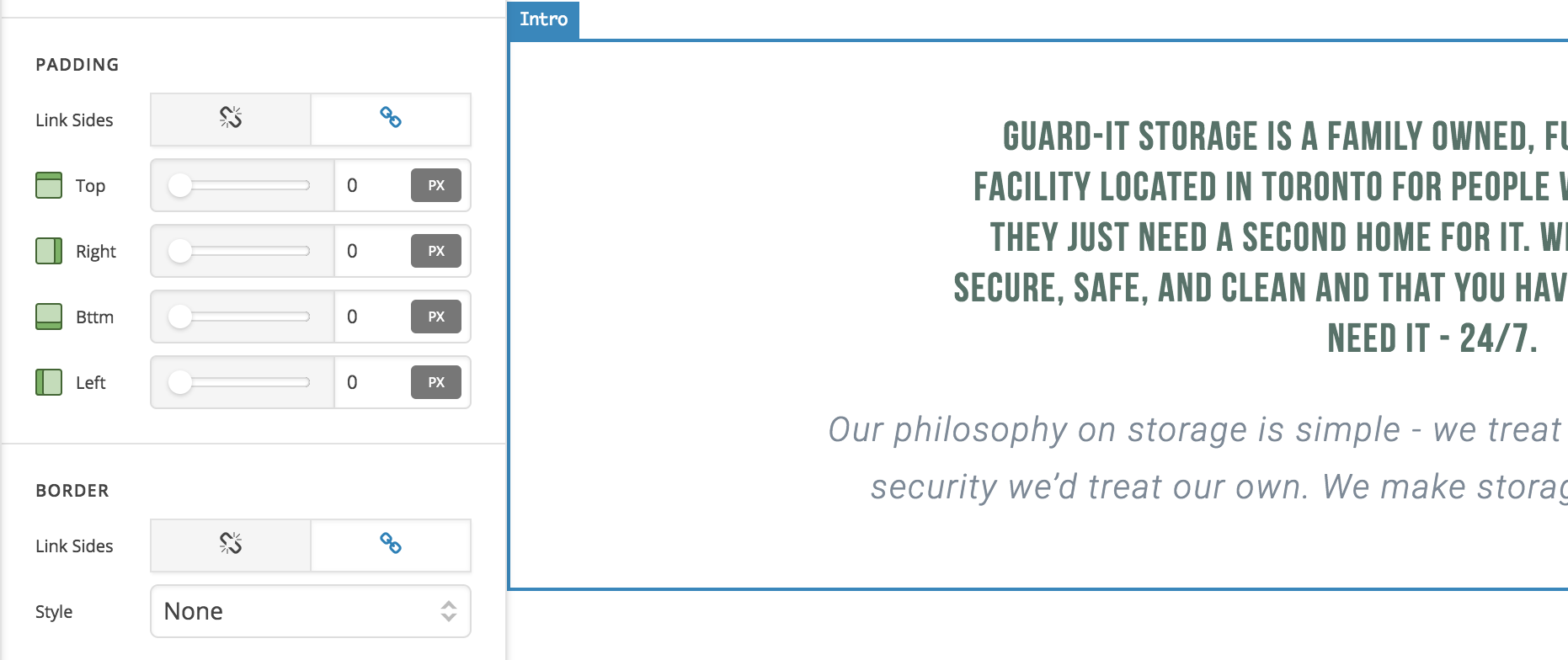
Hello There,
Thank you for the clarification and yes I can see the issue. I will forward this to our developer for investigation. We will let you know once we have an update.
How long do you think that will take?
Hi there,
We’re aware of this issue effecting properties of V2 elements when using Cornerstone with other themes. Regretfully we don’t have a fix just yet. You can add a classic section by holding cmd on Mac or ctrl on Windows and clicking the “Add Section” button. Classic sections are not effected by this problem.
This topic was automatically closed 10 days after the last reply. New replies are no longer allowed.