Hi! Something weird happens. Cornerstone creates a white space on a published website, but not in Cornerstone itself. We can move it around in a way, but not delete it. What happens?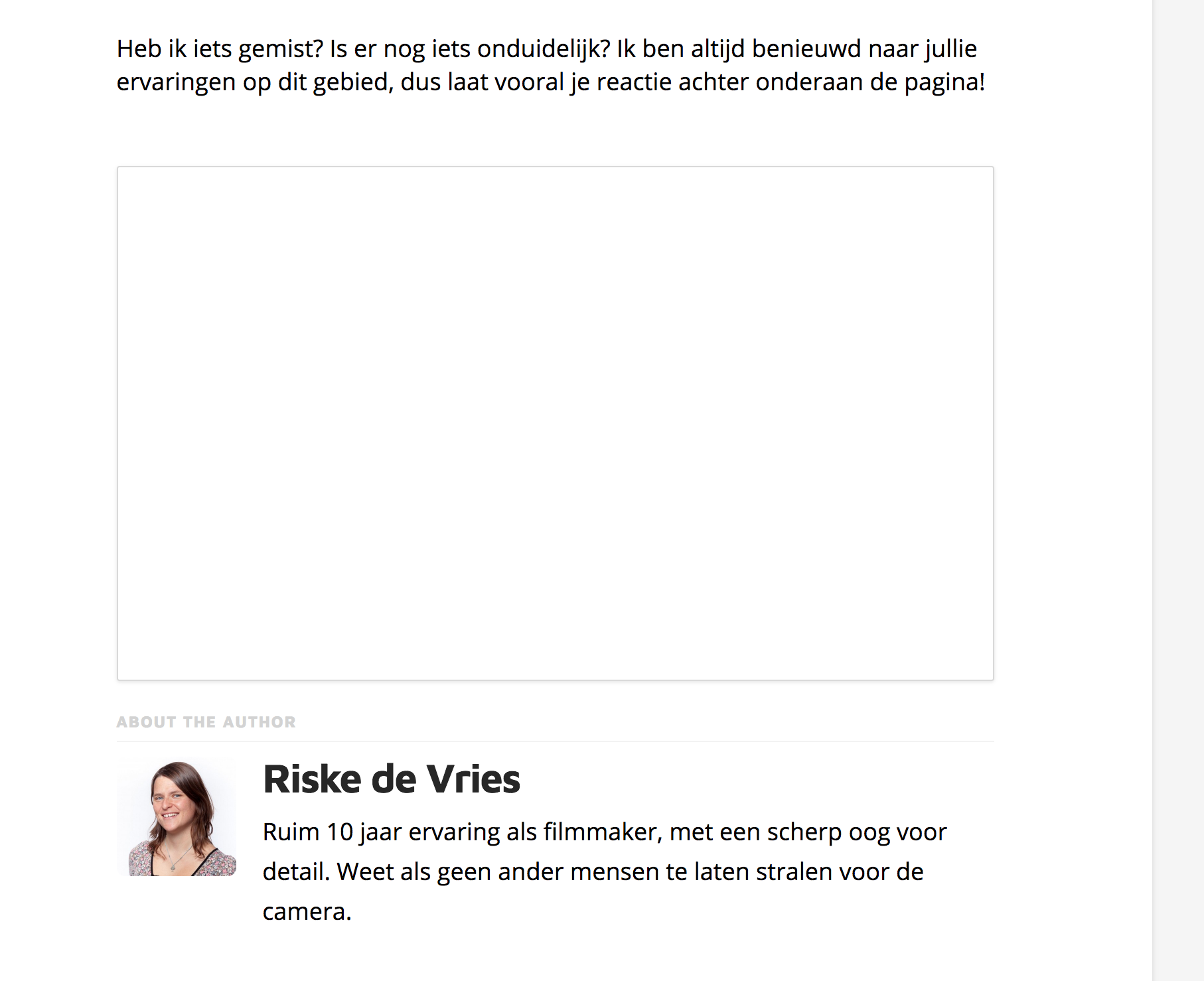
This is what the website shows

this is what it looks like in cornerstone
Hi there,
I went over your site but I can’t fine the page that you are referring to.
Kindly try to load the page in Skeleton mode in Cornerstone and you should be able to see all of the sections or element.
If you will be able to find the element that is causing the empty space in skeleton mode, kindly check the element’s Hide During Breakpoints setting.
In case this is not the case, kindly provide the URL of the page in question.
Hi Jade, thank you for the reply!
Sorry, I should’ve provided you the link
It’s happening in this article for example:
Just above point 4.
I don’t understand the skeleton mode and hide during breakouts setting. Could you explain that further?
Hi there,
I have checked your site on mobile and I am not seeing the large blank space before the author section.

Would you mind trying to clear your browser cache and try checking the page again?
Thank you.
This topic was automatically closed 10 days after the last reply. New replies are no longer allowed.