Cornerstone Background Image

Hi,
I am trying to change the background image in the first section on my home page. I am unable to change the background image in the section.

I can place another image there but the old image remains.

I’ve tried clearing my cache and style cache and I can’t seem to figure out why I can’t make a simple cornerstone change and replace the image.

Can you please help?

Thank you!
Hi there,

Are you getting the issue in all pages? I tried to create a test page and changed the background image and it seems to work fine (see secure note below). In case you are getting this issue that is specific to a page, kindly send the direct link to that page.

Cheers!

This is only an issue on my home page. The rest of the pages work fine.

Hi There @quituck

Upon checking your homepage, I was able to experience this issue. Could you please try creating a new section, add your new background there, then move your elements to that new section and see if that resolves your issue. Since this is your live site, I did not try to test this changes

Once you have done your changes, make sure to purge full cache before testing. You can refer to the following article on how to clear all cache (https://www.wpbeginner.com/beginners-guide/how-to-clear-your-cache-in-wordpress/).

Hope that helps.

So I created another home page as a test. I was able to change the background image so I made the new page my current home page. However, when I made the new page my home page the old image that I’ve been trying to get rid of came back. I’ve never had this problem before so it’s very difficult to understand. Why can’t I get rid of this image.

When I added another section on the page the image I wanted to get rid off was automatically added as a background image in the new section.

Please advise.

Hi @quituck,

You have this on your Theme Options > CSS

.home .x-bg-layer-lower-image {
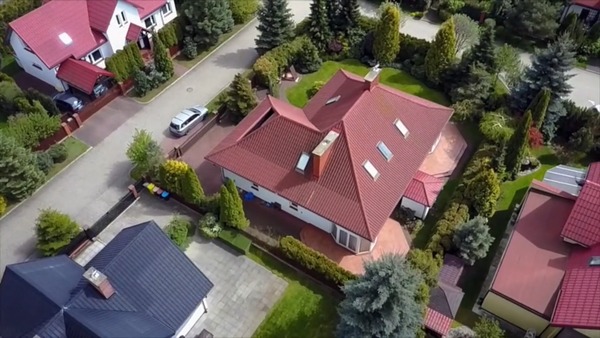
    background-image: url(https://yourdomain.com/wp-content/uploads/2019/01/drone-image-scaled.jpg) !important ;
}

To simplify this selector .home .x-bg-layer-lower-image means. Apply this background-image to all section on home page that has an image lower background set.

Remove that and you’ll get all your real background-image on your homepage sections.

Hope it helps,
Cheers!

Ah ha. Problem solved!

Thank you so much for helping me to solve this problem. I didn’t realize that I had that code there.

You’re most welcome!

This topic was automatically closed 10 days after the last reply. New replies are no longer allowed.