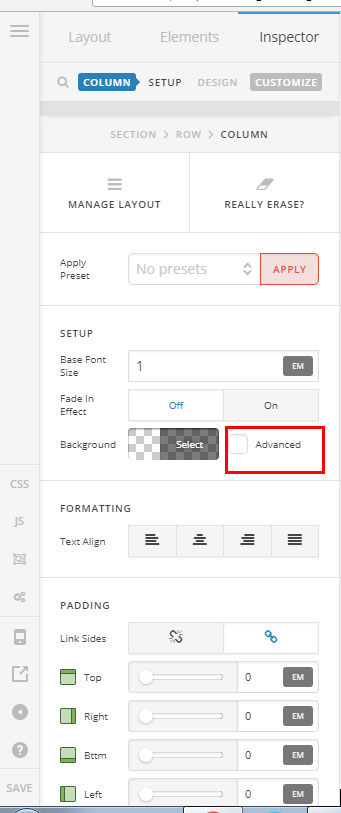
I’m using cornerstone for “X” theme which is fully updated and do not see the advanced check box for columns. I’m trying to add background images to my columns. I see plenty of people have asked this question and the answer “click the advanced box”. Is there a setting to turn on advanced options for columns? The only option I’m seeing is background color
Hi There,
If you are using one of our demos our Cornerstone templates it is possible that you have a classic section and in that case you will have a classic column, on which case the advanced option won´t be available and the only way to add a background image to the section would be by adding a css line to the style box of the column. In case you decide to do that, the style box is found on the bottom of the left column tab and you will add : background-image: url("paper.gif");
If you add a new section, this will be a V2 section, and the advanced toggle should be available on your column as on the image below.
Hope it clarifies.
This topic was automatically closed 10 days after the last reply. New replies are no longer allowed.