Cornerstone 4.1.2 Conflict with WPML 4.2.5

Hi Themeco Support,
I’m getting a conflict between Cornerstone 4.1.2 and WPML 4.2.5.
On Themco’s website, it says Xtheme is compatible with WPML up to 4.2.5.
I also updated WPML Translation Management to 2.8.4 and WPML String Translation to 2.10.3.

The issue is this:

  1. I create a new page in the default language (Chinese Traditional) using Cornerstone
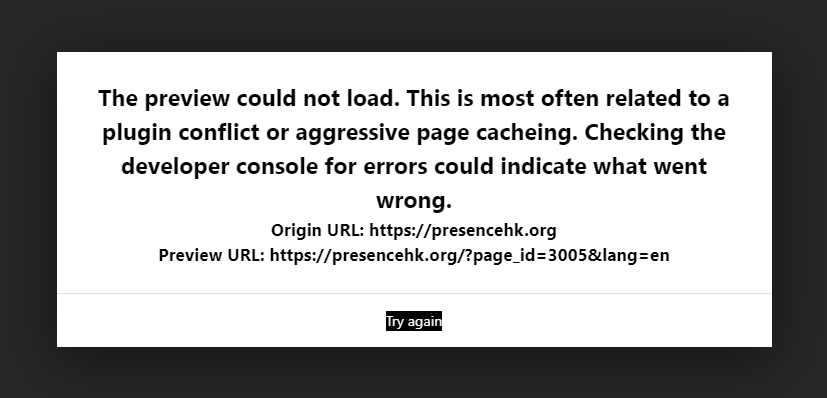
  2. When I click on the language tab on the bottom right, to switch to English or Chinese Simplified, I get an error loading the page:
    “The preview could not load. This is most often related to a plugin conflict or aggressive page cacheing. Checking the developer console for errors could indicate what went wrong.”

But when editing currently published pages, and I can switch between languages in Cornerstone and edit.
It’s just new pages that I cannot edit in the other languages.
I even tried creating a page in English first and editing in Cornerstone, and I get the same error.

Can you help?
I will add admin login details for you to check.
Hi @coracle,

First, the site is so slow on the admin. The builder even on default language doesn’t load. I tried to create a draft page and the error is PREVIEW TIMEOUT.
From X > Status, you MEMORY is jut 256M. We’d recommend that you increase your memory allocated to PHP first. To increase it, please edit your wp-config.php file and insert these lines:

define( 'WP_MEMORY_LIMIT', '256M' );
define( 'WP_MAX_MEMORY_LIMIT', '512M' );

You can add it before the line
/*That's all, stop editing! Happy Blogging. */

Let’s try again after that. It is hard to troubleshoot the issue you have initially reported if the builder doesn’t load properly.

Thanks for the reply @Lely!
I’ve made the change in wp-config.php, but when I check X > Status, the memory still shows 256M.
Let me know if there’s anything else I need to do, thanks.

Hey @coracle,

We’re sorry the code provided by Lely stills sets the memory to 256M. Try changing it to 512M or higher.

I just like to add that it looks like WPML now creates translation pages automatically, that’s why you get the error. Please check if the page you’re trying to translate in Cornerstone is also translated by WPML using the Translation Management (WPML > Translation Management). If so, delete the page created by WPML and test translating in Cornerstone again.

If that doesn’t help, would you mind giving us the URL of the page you’re trying to translate in Cornerstone? Also, give us FTP access so we could check the errors in the error log.

Thanks.

Hi @christian_y,
I’ve increased the memory limit to 512 now.

It doesn’t look like WPML is creating the translation pages automatically.
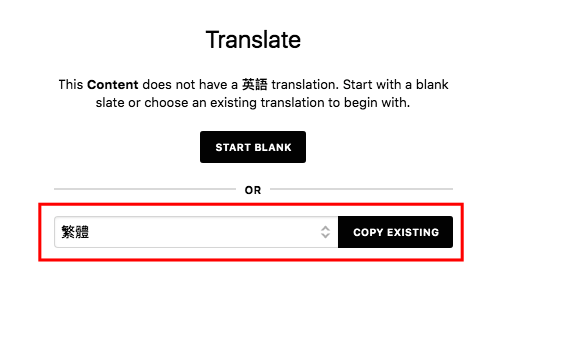
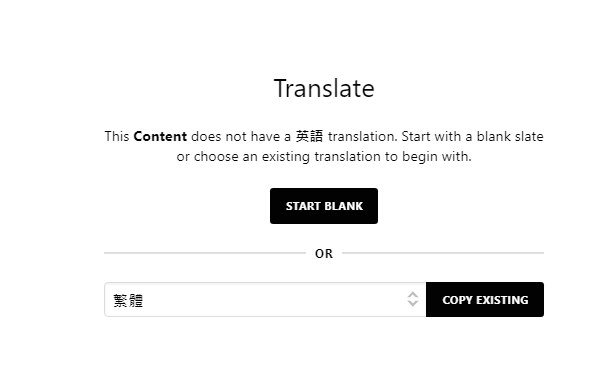
After I create the page in the default language, and then switch to English, Cornerstone asks if I want to translate the page or to start blank.

When I click on “Start Blank”, then I get the error:

The page I’m created is called “Test for Apex”
But you can try creating a blank page, and switching to another language in Cornerstone, and you will get the error.

I’ll add the FTP access information in a private reply.
Thanks.

Hello @coracle,

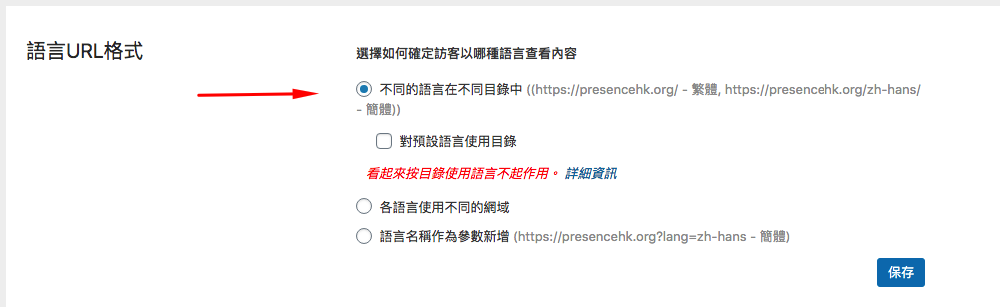
I have logged in and fix your Language URL format in WPML > Language. It must be using the different directories. And then if you already have created the Chinese page, do not use Start Blank. You just have to Copy Existing page for you translation so that you will just have to translate the contents and not to create the page from scratch.

I have created “An X Test” page. Please check that out.

Hi @RueNel, it works now!
Thanks for fixing this.
Just for our knowledge, what was the exact setting in WPML > Language that you changed?
It’ll be good for us to know, for the next X-Theme / WPML website we build - thanks.

Hello @coracle

Best Regards.

This topic was automatically closed 10 days after the last reply. New replies are no longer allowed.