Copy of page that uses Cornerstone not showing in editor or live

We made a copy of a page using Yoast Post Copy plugin. In the database the content seems to be the same however when I try to edit the page in Cornerstone it comes up like it’s a brand new page. I did go through and find and replace the IDs for the _cs_generated_styles meta data so it matched the new post ID. What else do we need to do?

Thanks!

Anyone had this problem and able to fix it?

Hi @olwm,

Thanks for reaching out.

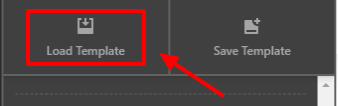
The only way you can duplicate a content using the cornerstone builder is to save the source page template then load the template to your destination page. If you are using a plugin to duplicate the page it won’t be showing on the cornerstone editor because cornerstone will detect it that the page was edited outside the builder.

Source Page:
Save Template

Destination Page:
Load Template
image

Hope that helps.

Thank you.

This topic was automatically closed 10 days after the last reply. New replies are no longer allowed.