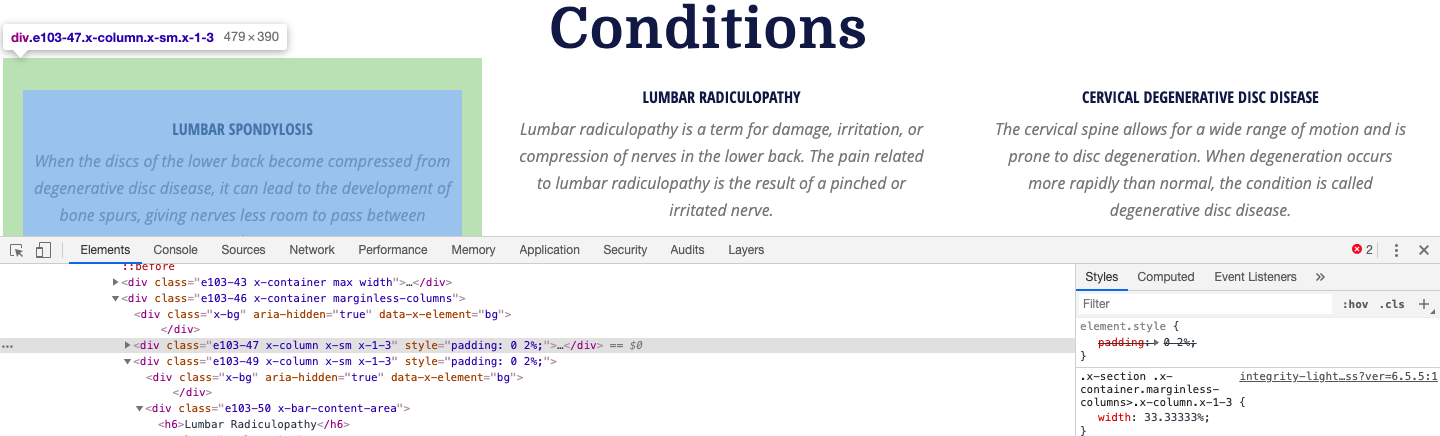
The “Conditions” row’s first column has a content area (entitled LUMBAR SPONDYLOSIS) that is pushed down out of alignment with the other two rows. I can’t see what’s causing this.
Here’s a link to the page - http://seguranpc.staging.wpengine.com/ .
Hello @Solidwebservice,
Thanks for writing in!
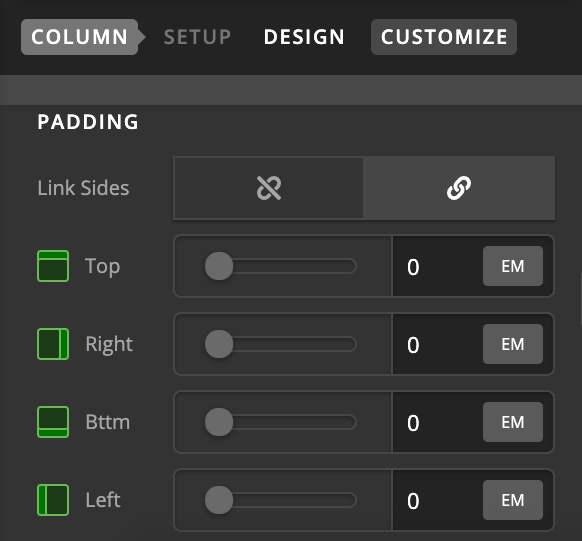
It’s because the column that’s holding Lumbar Spondylosis is having padding top. Please remove top padding from column and that should fix the issue.
Thanks.
I’m going crazy looking for that padding. It’s not in the cornerstone settings.

Hello @Solidwebservice,
Thanks for updating the thread.
Please share the login details in secure note for us to take a closer look at the setup.
1- I have found the proper CSS code selector using the Chrome browser Developer Toolbar: https://www.youtube.com/watch?v=wcFnnxfA70g
2- For the CSS code itself, I suggest that you get started with this tutorial: https://www.youtube.com/watch?v=yfoY53QXEnI
Thanks.
This topic was automatically closed 10 days after the last reply. New replies are no longer allowed.