Hey Guys,
I was hoping this would be resolved during a couple of releases as it seems like a bug, but I wanted to submit this for review.
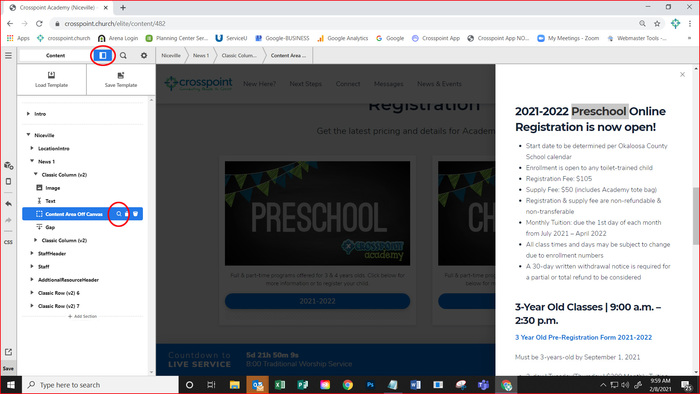
We use Content Area Off Canvas components quite a bit on our websites. But since the new update of Pro, it has hidden the way to edit this easily without clicking around the ui to figure out how to do it.
Before: If a User wanted to edit an off canvas, They clicked the off canvas area and the editable portions of that would pop up and allow for easy editing.
After: If a user wants to edit one of those components, and they click on that off canvas area, it takes them to column editing. They then have to switch to the outline mode, find the content area they want, open that, then go and edit.
This seems very counter intuitive to users who have used your platform for years. Is there a way to get this looked at so the click and edit returns back to a single click vs 4 for our userbase?