Content Area (New element) edit

Hi,

Well, I am trying to use the Content Area (new).
First, the Content Area Dropdown is buggy because it displays under other elements (as I already saw people complaining without an obvious solution).
I can try to adapt to the bugs and choose other Content Area, but I would like to know how can I edit the Content Area?

  1. If I choose the Preset ICON, the button says “MORE”. Can I change that word? (I want to use 2 with different words)
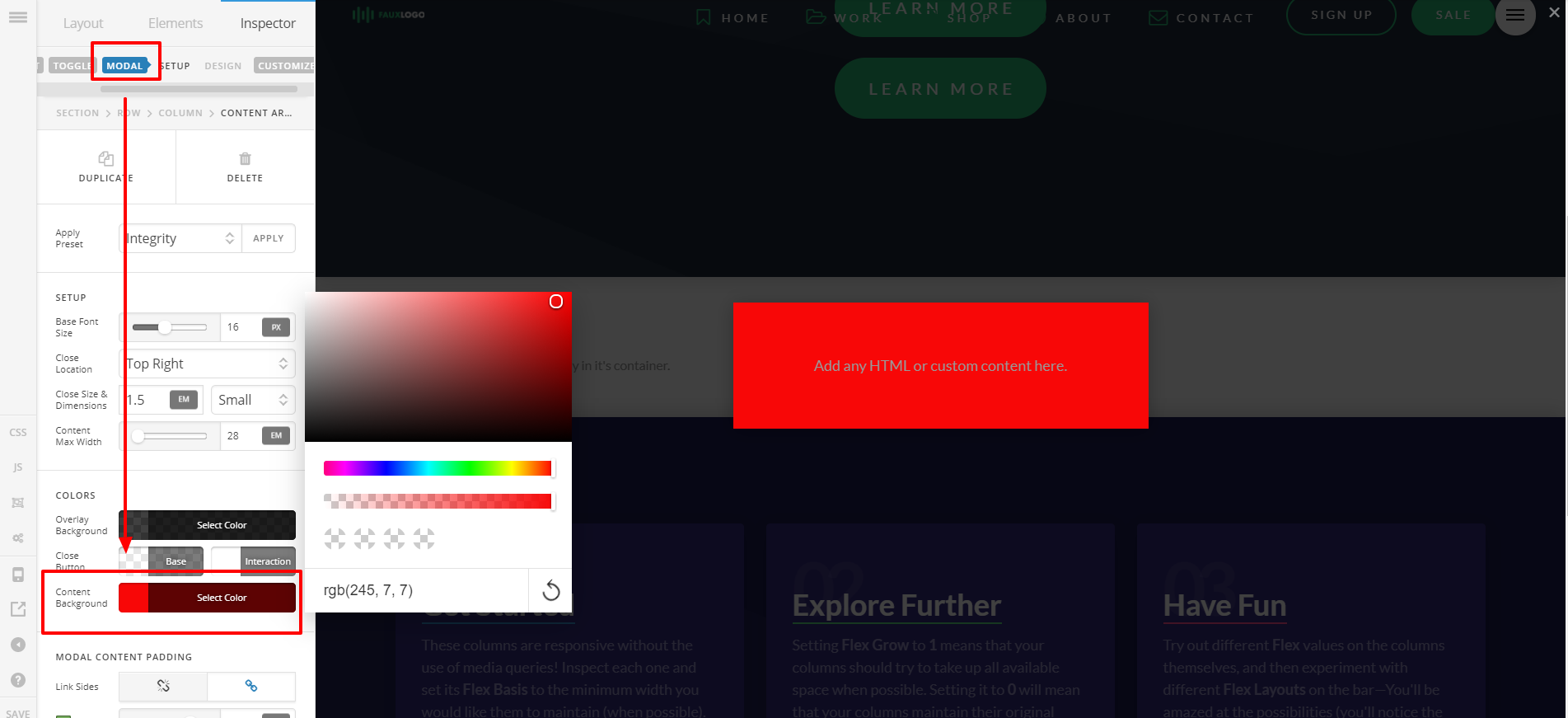
  2. The Content Area Modal it pops-up a window with dark background. Can I change the background color to white?

Thank you
Hi There,

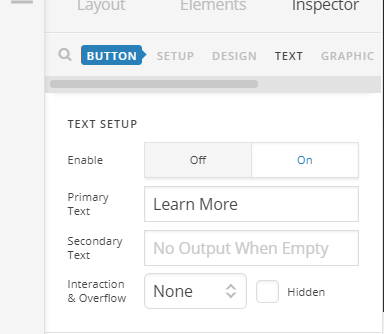
1.) I am not sure about this one. Are you referring to content area element? There’s no option for Preset Icon on this element. Usually, for every element, if there’s text option, you can see something like this to edit Text:

2.) Select Modal from the Advance Settings option then Background:

Hi Lely,

In fact you solved it because I was not aware that I had more options (Modal) and in there I can customise the way I want.

Thank you for your help

Glad that we could be of a help :slight_smile:

This topic was automatically closed 10 days after the last reply. New replies are no longer allowed.