Content Area Element Issue

Hi there,

I’m having an issue with the new v2 Content Area elements.
I’m using the Content Area Modal on my site containing some code for an email form.

The code is the following:

<script type="text/javascript" src="https://static.mailerlite.com/data/webforms/602494/p0w6z9.js?v89"></script>

Once I put this code into the Content Area Modal at first everything seems to be working fine. When I visit the page and trigger that modal, the email form is popping up completely fine. Screenshot below.
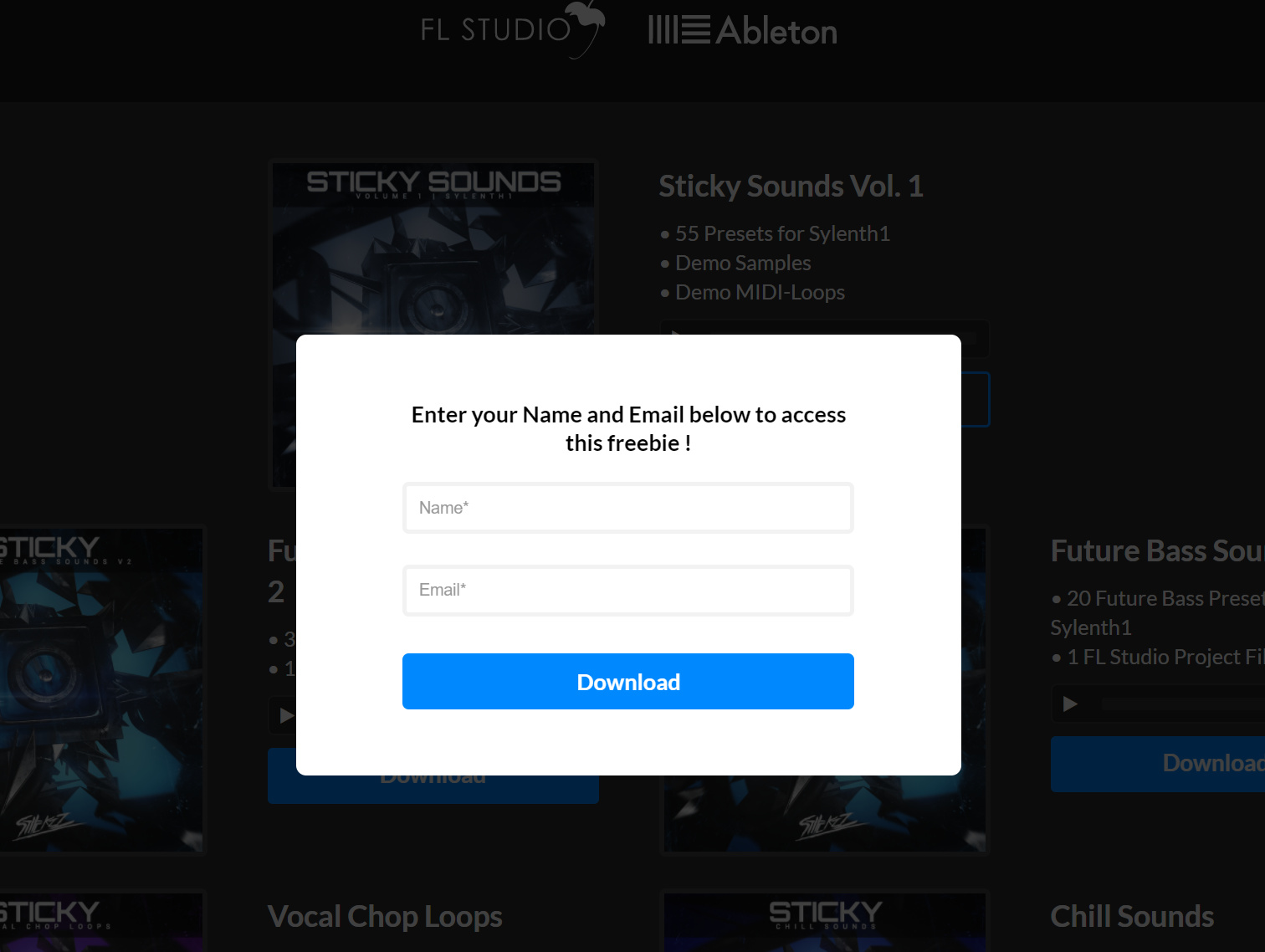
However, once I’m logged out of my admin account and visit the site as a “guest”. The Content Area Modal shows just a blank white block as if there is no code inside of that Content Area Modal.

Simply visit this site https://stiickzz.pro/free-downloads/ and press on one of the Download buttons. You should also just see a blank white block instead of the form as shown in the screenshot.

I’ve also put the code into the standard Content Area element just to check if the issue is only happening on the Content Area Modal however, the same issue is happening on the standard Content Area element as well.
I also checked if the code for the email form might be the issue however, if I enter the exact same code into the Classic Raw Content element, the issue is not present anymore. So I assume that there is an issue with the v2 Content Area element not displaying certain code properly.

It would be awesome if you guys could help me out with this ! :slight_smile:

Best,
Oguzhan

Hi There,

Thanks for writing in! This functionality is not supported by Cornerstone as you cannot directly enque a JavaScript file.

You may try following this path (https://www.convertplug.com/plus/docs/mailerlite-wordpress-popup-plugin/).

Hope that helps.

Hi @mldarshana,

But how is it possible than, that the form displays completely fine when I’m logged in as an admin on my site? If Javascript was not supported I do assume that it wouldn’t work either way, no matter if I’m logged in or not.
Also, why does the Javascript code than work with the classic raw content element?

Thanks for helping out !

Hello There,

I have checked your site and you are using WP Rocket. Have you cleared the cache already? When you are log in, caching is disabled. When you view your site as a guest, WP Rocket or CloudFlare will server the cache version of the site. Could you please clear it first and test it again?

I wanted to check the page myself. I have checked your previous thread looking for the credentials. I found the credential regretfully it no longer works.

Please let us know how it goes.

Hi @RueNel !

I always clear the cache if I do any changes but just to be sure I did it again and it didn’t fix it. Also, I deactivated WP Rocket and the issue was still there. So I assume that might not be the issue.

Edit:
It seems like it can take a while to figure out this issue. For now I switched the download buttons out for something else which makes it able for my customers to access my sites content.
However, at the very bottom of the page you can still find a Content Area Modal element with the issue. Hopefully we can fix this soon !

Hi Oguzhan,

Would you mind providing the updated login details of your site in a Secure Note so that we can check your setup?

I tried checking the site on the frontend but there is not a lot that I could see from there.

Thank you.

I’ll provide access through a secure note!

Hey There,

We were able to log in to your site. The only problem is that the given credential has a very limited role. We cannot even view the dashboard or edit the page in Cornerstone. Could you please make the credentials as an administrator?

Thank you.

My bad. Sorry about that. I now changed it to administrator.

Hi there,

It’s known issue and it’s been on our issue tracker, please stay tuned for the future updates. And unfortunately, there is no available workaround or temporary fix at this moment.

I also added your thread to our issue tracker in case our developer may check it.

Thanks!

This topic was automatically closed 10 days after the last reply. New replies are no longer allowed.