Hello, in your Design Cloud I found the “creative contact forms 4” which I installed. I want to have my options with radio buttons in 2 blocks next to each other exactly like in this screenshot. How do I do that?

Thank you! 
Hello, in your Design Cloud I found the “creative contact forms 4” which I installed. I want to have my options with radio buttons in 2 blocks next to each other exactly like in this screenshot. How do I do that?
Thank you!
Hello Vivien,
Thanks for writing in!
Please check out this video tutorial instead to know how the Creative Contact Form 4 were built.

You can check out the rest of the series here:
Best Regards.
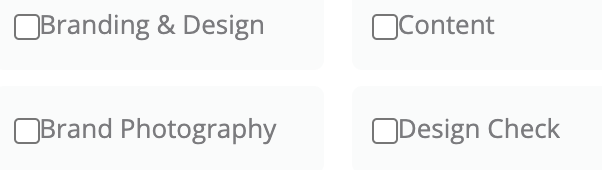
Thank you, that helped a lot! However, even though I copied the CSS, I cannot get a space between the checkbox and the label. What am I doing wrong?
Hello Vivien,
It is not possible to help by checking the only screenshot, in order to help you with your concern please share your exact page URL so that we can check your CSS that is rendering on your site.
Thanks
Hi Vivien,
It seems that the margin for the checkbox element is the reason for the issue you are having, I went ahead and added the following code into the Theme Options > CSS, which added the space between the checkbox and the label.
input[type=radio], input[type=checkbox]
{
    margin-right:10px;
}
Hope it helps.
Thanks
Aaaaah! Thank you so much! That definitely did the trick!
Have a great day!
Hi Vivien,
Great that it resolved now.
Thanks
This topic was automatically closed 10 days after the last reply. New replies are no longer allowed.