Contact form 7 plugin conflicts with Cornerstone plugin

Hi There,

After updating the Cornerstone plugin and theme, Contactform 7 plugin creating conflicts.

  1. In page editor mode visual editor button not working.
  2. Uploading new images button not showing in Envira gallery plugin.
  3. Unable to select registered sidebar from the classic widget in cornerstone builder.

For your reference, I have attached the screenshots.

Can you please look into this urgently?

website URL: https://yogasynergy.com/staging/

Thanks

Hello @yogasynergy,

Thanks for writing in! I have checked your site and I can confirm that there are a bunch of JS errors in the console. This is the cause of the issue. It may have came from one of the installed plugins on your site. It could also be caused by a plugin conflict, amongst other things. Please check out this troubleshooting article here and follow the instructions for the following sections (where appropriate):

Testing for Plugin Conflict
Child Theme
CSS/JS Customization

When Editing the page, you should be using the “Cornerstone” tab or the “Edit in Cornerstone” button especially if the page was created in Cornerstone. Be advised that you cannot edit the page created in Cornerstone with the WP Editor. All your contents will be corrupted and you will not be able to edit the page back in Cornerstone.
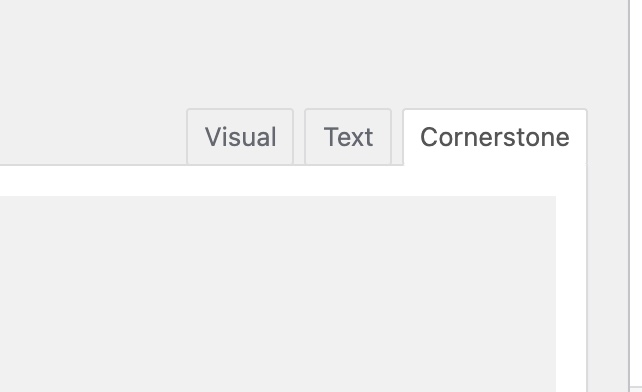
Screen Shot 2021-09-02 at 10.11.50 AM

We are looking into the issue wherein the widgets are not loading in the selector. So far, it is working as expected on our local testing servers. It could be caused by a plugin conflict or because of the JS errors in the console.

Best Regards.

Hi Ruenel,

Thanks, I have done the troubleshooting on the site and I found a contact form 7 plugin that creates conflict.

Can you please recheck from your end and let me know actually which plugin creating a conflict.

Update me once when the widget area registered sidebar issue is fixed.

Thanks for your help.

Hi @yogasynergy,

The PHP version might be the reason behind your issue, I would suggest you upgrade the PHP version to 7.4 by contacting your Hosting Service provide and check if that issue resolves or not.
If that does not helps, please provide the FTP/CPanel credentials to access the files for further investigation.

Thanks

Hi Tristup,

I have just updated the PHP version to 7.4 still the issue is not fixed.

Can you please look into the registered sidebar issue on the below page?

https://yogasynergy.com/staging/what-others-say/

Thanks

Hi Tristup,

Just I have sent FTP credentials on a secure note, please find out the issue and let me know.

Thanks

Hi @yogasynergy,

I have checked your website thoroughly but unfortunately not able to find any solution to your issue. I would suggest you use the Widget Area element instead of Classic Widget Area, which works the same with more options.

Thanks

This topic was automatically closed 10 days after the last reply. New replies are no longer allowed.