Contact Form 7 File Upload button styling

Hello Support Team,

I currently am trying to change the style of the uploadbutton to fit to the rest of the form sadly I only managed to change the margin of the button. How do I change the Text inside the button and how can I change the style of the button to something more flat (so change the background of the button to white for example?
It currently looks like this:
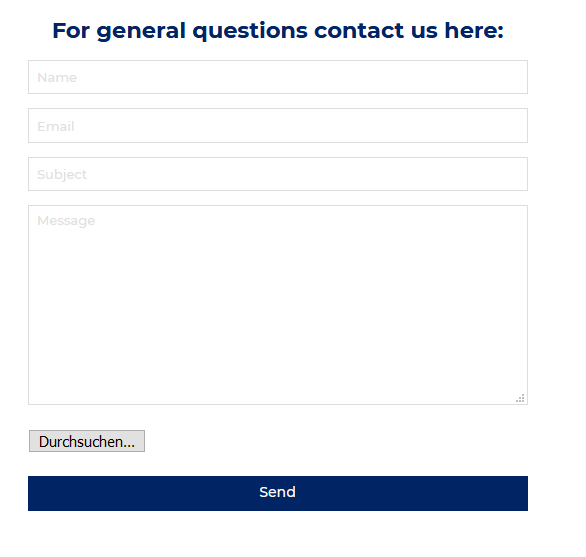
I use this current css I found on the other themeco forum:

input[type=“file”] {
margin-bottom: 10px;
vertical-align: middle;
margin-right: 200px;
}

Thank you for your help!

Best, Benni

Hi Benni,

What you are expecting need customization and beyond the scope of theme support. I would suggest you hire a developer who can assist you to do the customization or you can avail of our newly launched service called One, where the customization questions are answered.
If you still want to do by yourself, the following link may help you:

  1. https://stackoverflow.com/questions/5138719/change-default-text-in-input-type-file
  2. https://stackoverflow.com/questions/572768/styling-an-input-type-file-button
  3. https://css-tricks.com/snippets/css/custom-file-input-styling-webkitblink/

Thanks

This topic was automatically closed 10 days after the last reply. New replies are no longer allowed.