Hi,
Please see attached. I would like to change the contact form 7 font size and colour.
Also the submit button. How can I make it to have no shadow and be as long as the fields above it?
Thanks!
Werner
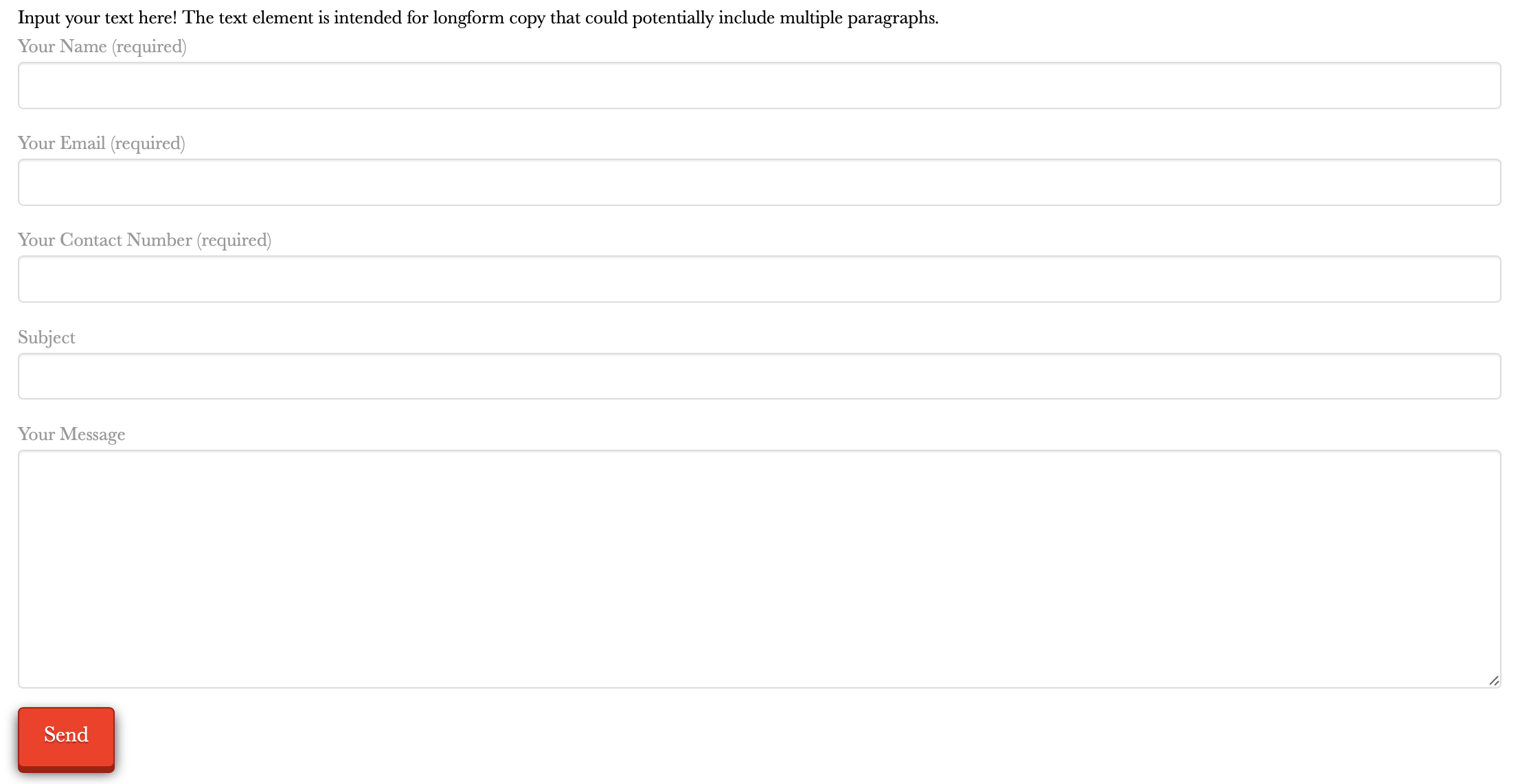
Hi,
Please see attached. I would like to change the contact form 7 font size and colour.
Also the submit button. How can I make it to have no shadow and be as long as the fields above it?
Thanks!
Werner
Hi Werner,
It is possible using custom CSS it can be added as page CSS or on Theme Options > Global CSS. Please be mindful on using selectors. Please check the following guide:
Please share the page url with the form if you’re still having issues.
Hope this helps.
Hi Lely,
Thanks for the info, but it is way above my level of understanding.
Below is the URL, the website is still under construction, but I’ve disabled it so you can have a look at it and advice on how I can proceed.
https://werbarpix.co.za/contact/
Thanks,
Werner
Hi Werner,
On the page builder Content CSS, try adding the following:
select, textarea, input[type="text"], input[type="password"], input[type="datetime"], input[type="datetime-local"], input[type="date"], input[type="month"], input[type="time"], input[type="week"], input[type="number"], input[type="email"], input[type="url"], input[type="search"], input[type="tel"], input[type="color"], .uneditable-input {
    font-size: 15px;
    color: red;
}
.wpcf7 label { /*For label*/
    font-size: 15px;
    color: red;
}
input[type="submit"]{
    box-shadow: none;
    width: 100%;
}
Please adjust values accordingly.
Hope this helps.
Super it works! thanks your a super star!
You’re welcome. Glad we’re able to help.
This topic was automatically closed 10 days after the last reply. New replies are no longer allowed.