Component editor will not view - I get the iframe error

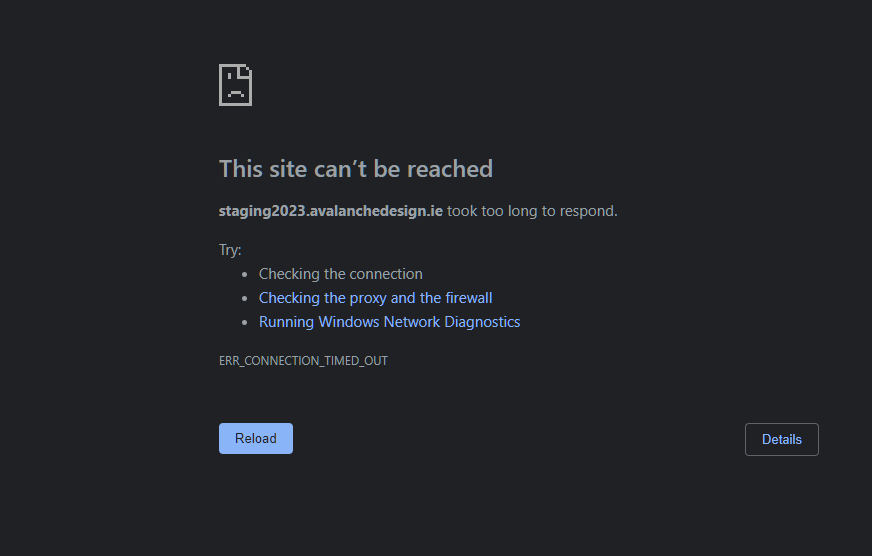
Hi, I have created a couple of components under the ‘Component’ heading in Cornerstone (Pro). One set works perfectly i.e. I can go in and edit the various elements (Buttons). However, a second set which holds all my Heading Components stopped working - it won’t let me go into the screen to edit them. I get the ‘iframe error’ screen attched. All other pages, headers and footer are working fine. (I’ve cleared the browser and theme caches - but this doesn’t fix it).

Can you tell how to fix this?

Hello @alandoyle,

Thanks for writing to us.

I tried to access your site dashboard but it is not working at the moment, please recheck and let us know when it is working. I would also suggest you clone the component and then delete the section one by one to check which section is causing the issue.

Hope it helps
Thanks

I think the website may stop access from certain countries. Can you tell me where you are accessing from and I’ll whitelist the country.

Also, what do you mean by “clone the component”?

FYI, the components are working fine when used on pages, its just that I cannot access them in the Components > Heading Components menu - see screen grab attached

Hi Avalancher,

I would suggest you please remove the IP restriction and let us know to examine it further. Please note that we are from different parts of the World and most of us have a dynamic IP so we can’t provide a specific ID address to you for whitelisting.

Thanks

Unfortunately I cannot remove it as it need to be for a specific country. However, if you have a VPN please direct it to Ireland and should be able to get in that way.

Hello @alandoyle,

I was able to log in to your site. I can edit the “Button Set” and “Meet Component” components.

This could only mean that you have inserted an invalid code or value in the “Heading Components” component which resulted to a fatal error. Since you can still access the skeletal structure of the component, please inspect each and every element to double-check the values or settings that you can remember or have a hunch caused the issue.

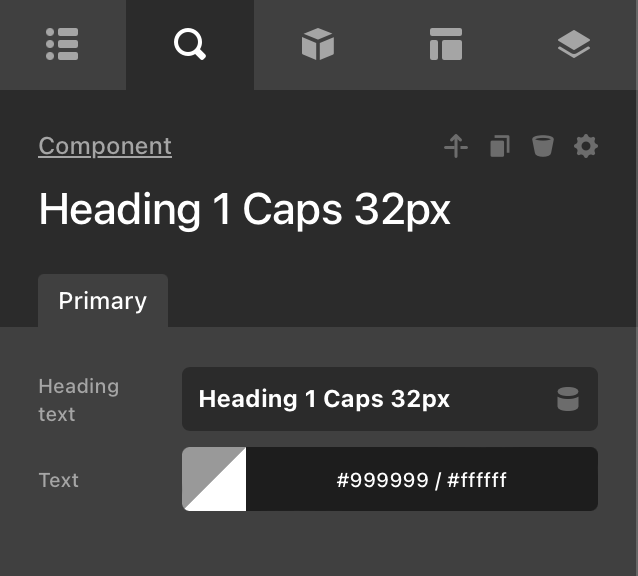
Thanks for coming back. I loaded each of the skeletal Heading components into new page. I went through the two setting for each heading; text and colour. The ability to change the text is working fine however the ability to change the colour of all heading components, other than the 64pt headings, is not working. I suspect this is the issue.

If it is the issue, how can I fix this?

Hi @alandoyle,

When I try to log in again to your staging area, I am encountering an issue. Can you please double-check your server?

  • See the secure note below.

Thanks.

I replies earlier o the thread about this:

Unfortunately I cannot remove IP country restrictions. However, if you have a VPN please direct it to Ireland and should be able to get in that way.

Hey @alandoyle,

To ensure an effective resolution of your issue, it would be beneficial to temporarily lift the IP restriction while we investigate. Once the matter is resolved, you can reinstate the restriction accordingly.

We appreciate your cooperation and understanding.

You should have access now.

Please note, I have already had one of your support staff answer my issue 3 days ago. They gave me a suggestion. I then replied to this person ( ruenel/Staff) with an answer 2 days ago. Is there a way to fix the heading issue?

Hey @alandoyle,

We cannot access the wp-admin and we receive the same error as my colleague’s previous response. Please fully remove the IP restriction.

Thank you.

Marc, I have released IP restrictions. You should have access.

Can you tell which country you are in so I can make sure your country wasn’t missed. Can you not use a VPN and direct it to Ireland?

(My hosting company will NOT remove restrictions for everywhere. They did lift restrictions to a large number of countries but clearly yours is not one of them. I will need to know your country or a couple of countries your support staff are in - I have no other choice)

Hey @alandoyle,

The team members are located in the US, Philippines and India.

The use of VPN is not part of our support service. If your web host cannot open restrictions, copy your staging site to a different web host.

I got the hosting company to double check and I think they left off the Philippines IP. You should now have access.

Please note, I have already had one of your support staff answer my issue 5 days ago. They gave me a suggestion. I then replied to this person ( ruenel/Staff) with an answer 2 days ago. Is there a way to fix the heading issue?

We still can’t access the site.

Remember that Runel also saw the forbidden message when he tried to login again.

I had removed the country IP restrictions for all 3 of your support staff countries (US, Philippines and India). You should not be getting an error when logging in. I’ve asked my hosting company to check at their end. I’ll come back to you soon on this.

Hi Avalancher,

I have checked all the Components and found that only the Heading Components is not loading properly. It mostly occurs if any tags are not closed properly or if any broken HTML has been used within the content. I would suggest you please delete the sections of the specific components one by one until the issue is fixed, and the last one you delete might have contained the broken HTML.

Hope it helps.
Thanks

Yes, it’s only the heading Components I am having issues with. Can you tell me how I am to delete the sections of bad code when I cannot access the components? I get an Iframe error when I try to open it.

Hi Avalancher,

You can access the Sections as shown in the screenshot.

Hope it helps.
Thanks