Hello,
How can I increase the spacing between the columns in a row?
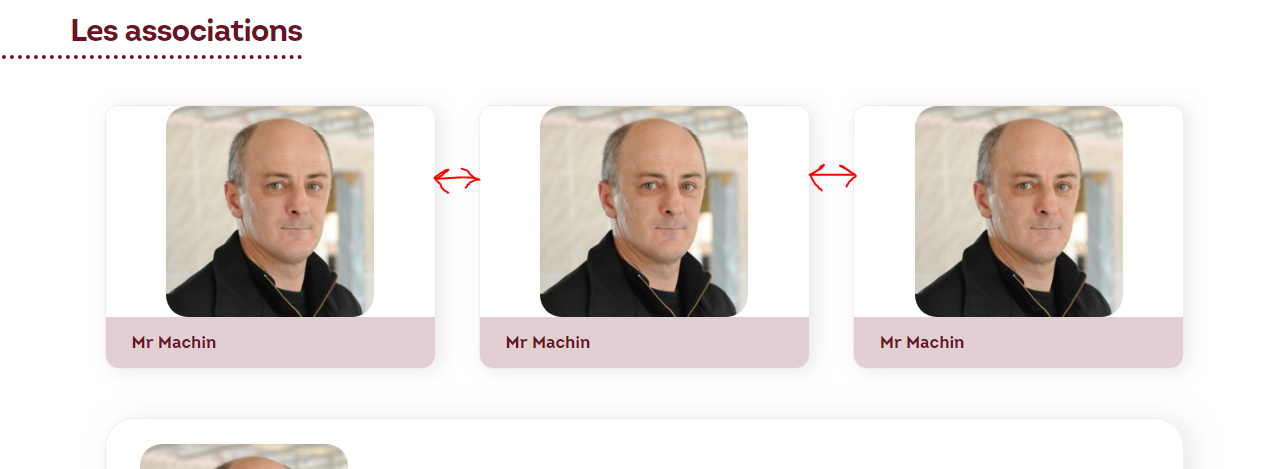
Thanks,
Antoine
Hello,
How can I increase the spacing between the columns in a row?
Thanks,
Antoine
Hello Antoine,
Thanks for writing in!
You have the option of changing the Column layout and that will adjust the column spacing automatically. You can make the changes by inspecting the Section > Row > Columns. In that you get the option of selecting custom column layout too.
Another option would be to use CSS and change the width and margin property of the columns. Please follow:
.change-column-width {
    margin-right: 0%;
    width: 33% !important;
}
Change the class name as per your requirement.
Though I have shared the CSS option but my suggestion would be to change the column layout. So let’s say you are looking to further increase the spacing between columns, you can select two column layout rather then having 3 column layouts.
Thanks.
Hi guys,
Just tried the CSS on a few columns containing buttons, which I want to have appear closer or almost glued together, but it doesn’t seem to work…

Also, the image you attached above appears to be missing…
Any suggestions, why it is not working?
Thank you!
Hi @kcreative,
It’s not working because your button doesn’t fill the full width of your column.
I suggest you add all your buttons in just one column then adjust the margin of each individual button

Thanks
Thank you for the advice, appreciate it!
You are most welcome. 
This topic was automatically closed 10 days after the last reply. New replies are no longer allowed.