Column Shrink

Hi

Website is http://www.btmv.rest/photo-gallery/

Part way down the page I have a text box. Unfortunately when the media is small the box is not being responsive as I would have expected. It is just shrinking and squashing the text out. I have tried using minimum width in the inline css. This has had some success. However rather then the box centering with the minimum width it is pushing to the right. This means the box on smaller media is off the side of the page.

Not sure what is the best way to resolve this. For various reasons I need to keep using this text box setup - it is simply a question of what I need to do to keep it centred and at a minimum width.

Can you please help?

Thanks so much

Craig

Hi @Nicra3,

Thanks for writing in.

I could your setup through CSS however your setup is showing a lot of errors in the console and I could not adjust your CSS in your inspector console properly.

You could try the CSS below. Adjust your code in your custom CSS:

.el21.x-column {
    width: 50%;
    padding: 0.91em 0em 0em 0em;
    text-align: left;
    background-color: hsl(0,85%,20%);
    box-shadow: 0.5em 0.5em 0.4em 0em hsla(0,0%,0%,0.49);
    min-width: 100px;
    float: right;
    margin: 0 auto;
    display: block;
} 

Let us know how it goes.

Thanks.

Hi

Thanks for your response. Unfortunately that code has not changed anything.

To confirm what I have done:
Remove the inline CSS on the Container Customise
Added the above code as is into the page CSS.

Please advise.

Also are the errors you are seeing on the console problems with the page that I need to address?
Could it have anything to do with a number of hidden sections that are there simply to achieve the desired Lightbox result?

Thanks again for your help.

Craig

Hi Craig,

Please remove the previously suggested custom CSS and do the following:

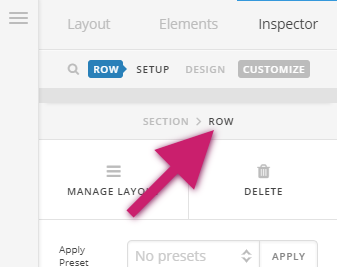
  • Remove the left and right padding set to the row that contains the red button

  • Set the Text Align options under Formatting to center.
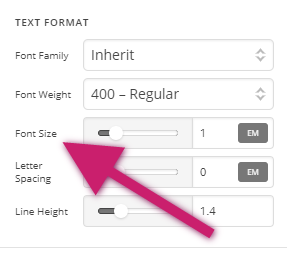
  • Select the text element and remove the inline CSS added to the element, instead, set the font size of the element using the font-size option under the text formatting settings of the text element.

Hope this helps.

Thanks so much.

Perfect Result.

Kind regards

Craig

You’re always welcome Craig!

Cheers.

This topic was automatically closed 10 days after the last reply. New replies are no longer allowed.