Column Links & Remove Superfly Button Effect

Hi,

I’m having trouble accomplishing two things and hoping you can help:

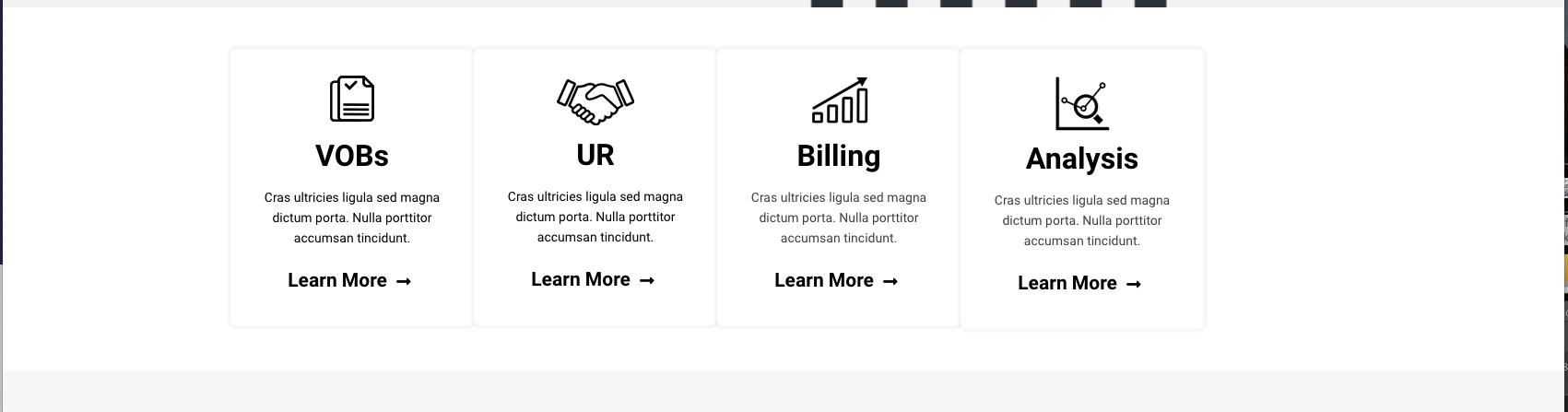
  1. I have a row with four columns. I would like each column to link to a different page. I found a thread and used I’m using the JS below, but it’s not working for some reason. Any idea why?

    function($){
    $(document).ready(function($) {
    $(".vobLink").wrap("");
    $(".urLink").append("");
    $(".billLink").append("");
    $(".analysisLink").append("");
    });
    )(jQuery);

  2. I am using a superly menu. There is a hover effect on the button that I would like to remove. Is this possible?

Info in secure form. Thanks so much!
Hi @Brad_B_1,

Thanks for reaching out.

  1. Try this code instead
jQuery( function($){
 $(document).ready(function($) {
  $(".vobLink").wrap("<a href='https://shiftbilling.com/vob-verification-of-benefits'></a>"); 
  $(".urLink").append("<a href='http://shiftbilling.com/utilization-review/'></a>"); 
  $(".billLink").append("<a href='https://shiftbilling.com/billing/'></a>");
  $(".analysisLink").append("<a href='https://shiftbilling.com/analysis'></a>"); 

 });
} );

But, it’s going to break your layout. You can’t wrap another link your already existing link, and your columns have existing links.

  1. You mean the fade in effect of the links when its open? Unfortunately, I can’t find any option to disable the effect too. I tried the CSS but it made it worst since the styling uses transforms.

Thanks!

Thanks for the reply.

  1. I updated the jQuery, but the column links still aren’t working. Any idea what else I can try?

  2. I am referring to the hamburger button hover effect. When you mouse over the button, the lines move. Is there any way to remove this?

Thanks again!

Hi again,

  • Please replace your script with the following one:
jQuery(document).ready(function($) {
  $(".vobLink").wrap("<a href='https://shiftbilling.com/vob-verification-of-benefits'></a>"); 
  $(".urLink").wrap("<a href='http://shiftbilling.com/utilization-review/'></a>"); 
  $(".billLink").wrap("<a href='https://shiftbilling.com/billing/'></a>");
  $(".analysisLink").wrap("<a href='https://shiftbilling.com/analysis'></a>"); 
 });
  • To remove the hamburger button hover animation, please add the following code in the Theme Options > CSS:
.sf_label_default:hover .sfm-navicon:after, .sf_label_default:hover .sfm-navicon:before, .sf_label_default:hover .sfm-navicon {
    transform: none !important;
}

Don’t forget to clear all caches including your browser’s cache after adding the code. Let us know how this goes!

Thanks so much.

  1. The code added links to the columns, but it messed up the alignment and padding (see attached image). Any idea how I can resolve this?

  2. This worked perfectly. Thanks!

Hello @Brad_B_1,

The JS code wraps the column with an anchor tag and it breaks the column layout. It is best that you do a different approach. You can do this instead:

  • Please use this JS code:
jQuery(document).ready(function($) {
  $('.vobLink').append('<a class="column-links" href="https://shiftbilling.com/vob-verification-of-benefits"></a>'); 
  $('.urLink').append('<a class="column-links" href="http://shiftbilling.com/utilization-review/""></a>'); 
  $('.billLink').append('<a class="column-links" href="https://shiftbilling.com/billing/""></a>');
  $('.analysisLink').append('<a class="column-links" href="https://shiftbilling.com/analysis"></a>'); 
 });
  • And then add this custom css as well:
.x-column > .column-links{
    display: block;
    position: absolute;
    width: 100%;
    height: 100%;
    top: 0;
    left: 0;
    z-index: 10;
}

We would loved to know if this has work for you. Thank you.

Thanks so much! I updated the code, but now the links aren’t working…

Hey @Brad_B_1,

It is not working because you have broken the css and it resulted a css conflict. At the moment, you have this:

@media (max-width:768px){
    .mpad{
        margin-top:45px
    }
    .x-column > .column-links{
        display:block;
        position:absolute;
        width:100%;
        height:100%;
        top:0;
        left:0;
        z-index:10;
    }

The correct one should be this instead:

@media (max-width:768px){
     .mpad{
         margin-top:45px 
    }
}

 .x-column > .column-links{
     display:block;
     position:absolute;
     width:100%;
     height:100%;
     top:0;
     left:0;
     z-index:10;
}

A missing closing curly brace for the @media created the conflict.

Amazing. Works now. Thanks again!

You’re most welcome!
It’s nice to know that it is working out for you.

This topic was automatically closed 10 days after the last reply. New replies are no longer allowed.