I followed this thread (https://theme.co/apex/forum/t/can-i-make-a-column-a-link/49191/2), however the coding doesn’t seem to be working for me.
Screenshot fo area in question: https://prnt.sc/n0p64b
I followed this thread (https://theme.co/apex/forum/t/can-i-make-a-column-a-link/49191/2), however the coding doesn’t seem to be working for me.
Screenshot fo area in question: https://prnt.sc/n0p64b
Hi @JamieNiccole,
column-link class to your columns: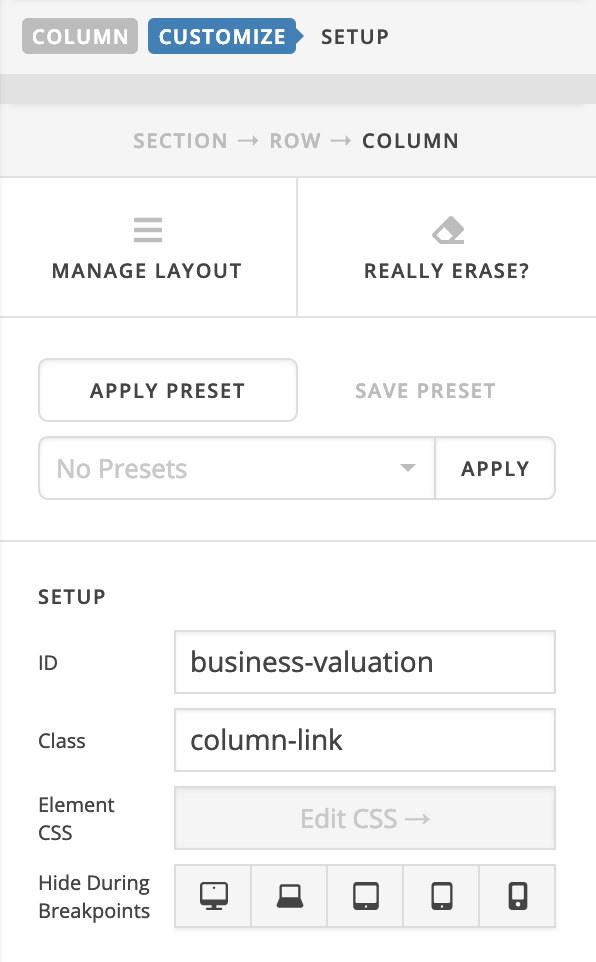
.column-link {
    position: relative;
}
.column-link > a.link {
    display: block;
    position: absolute;
    width: 100%;
    height: 100%;
    top: 0;
    left: 0;
    z-index: 10;
}
(function($){
	$(document).ready(function($) {
		$('#business-valuation').append('<a class="link" href="http://staging.caprockbusinessconsulting.com/link1/"></a>');
		$('#litigation-support').append('<a class="link" href="http://staging.caprockbusinessconsulting.com/link2/"></a>');
		$('#financial-analysis').append('<a class="link" href="http://staging.caprockbusinessconsulting.com/link3/"></a>');
	});
})(jQuery);
Everything looks good now.
Please note that I’ve added the custom JS & CSS on the left hand side:
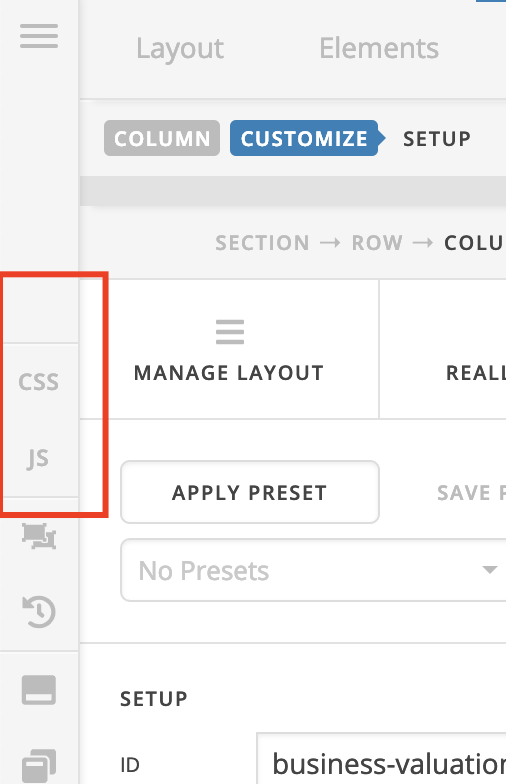
Cheers!
This topic was automatically closed 10 days after the last reply. New replies are no longer allowed.