I am finally trying to learn how to use cornerstone. I am getting very frustrated since there is no updated instructions. I want to add a picture behind a column of text. How do I do this? I can change the color of the background, but can’t figure out how to add a picture.
Hello @ClaudiaMcNeely,
Thanks for as asking. 
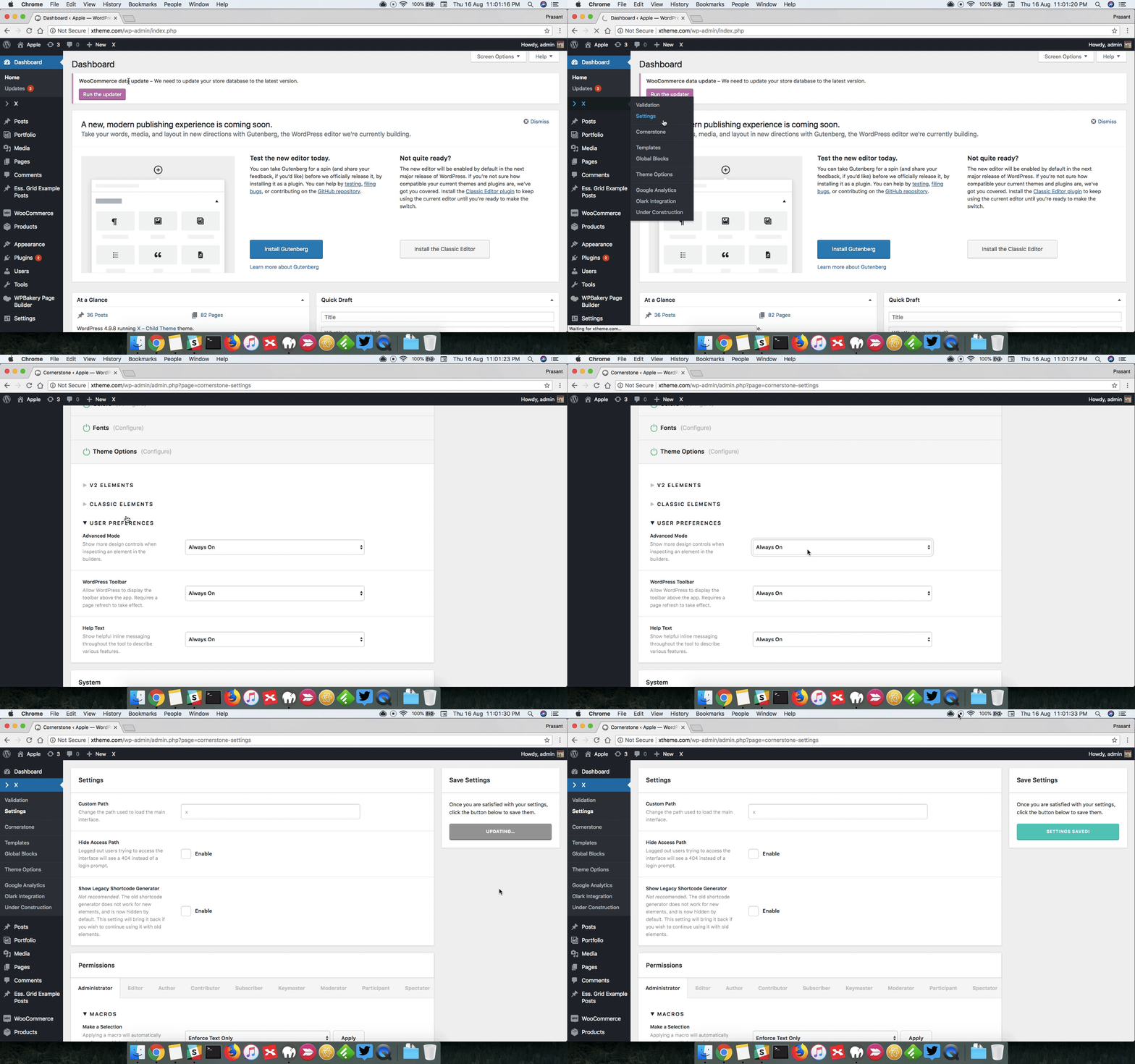
First, please make sure to turn on Advanced Mode from X > Settings > Permissions > Advanced Mode. Here’s a screencast.
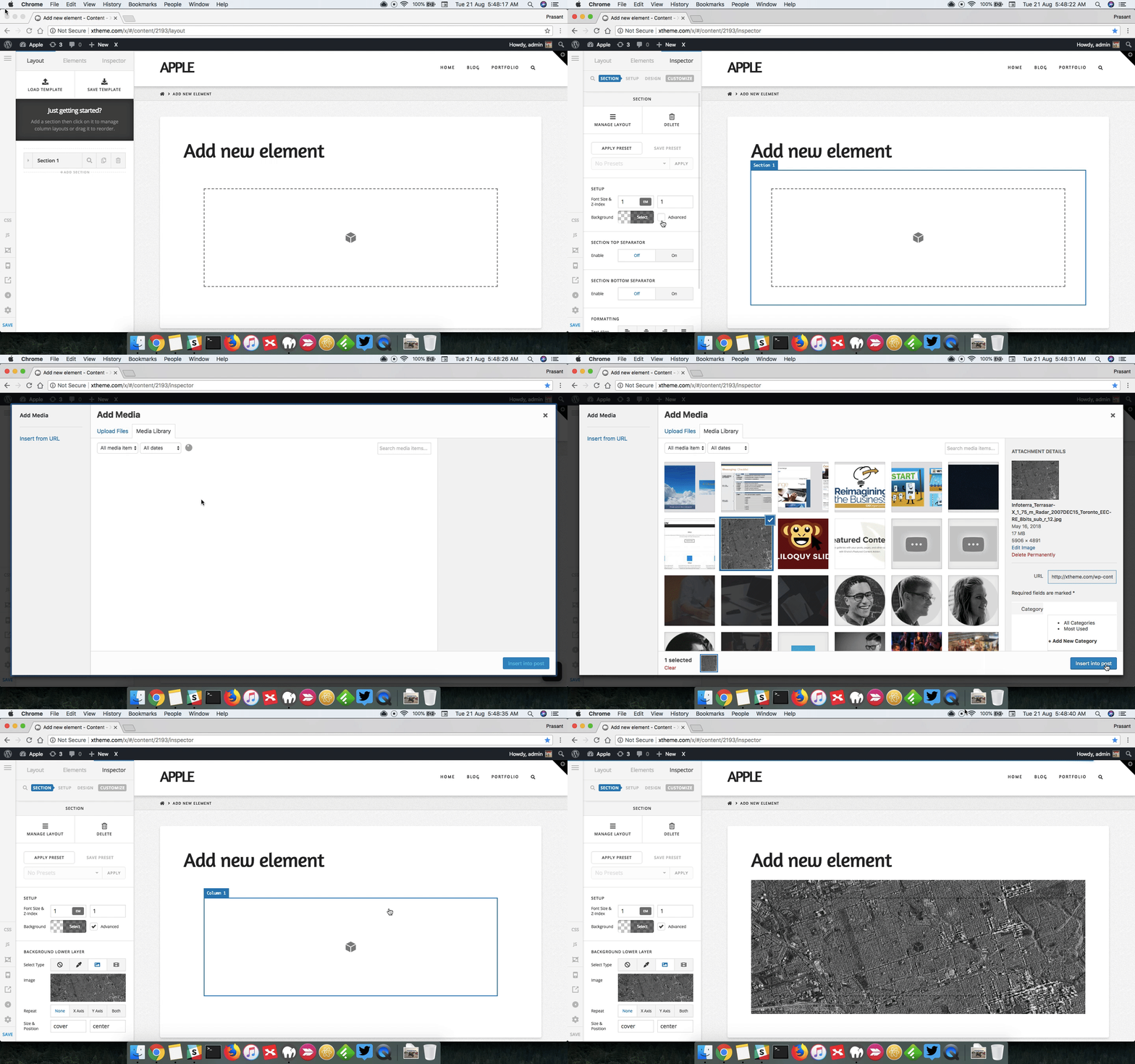
After that you can add image as background by selecting Advanced under Setup. Here’s a screencast that you can take a look.
Thanks.
Weird. I changed the preferences, but my cornerstone does not have the advanced option. I recently updated it, so it should be the right one. This is the page I am playing with. http://askclaudia.com/aaa/
Hi There,
Please clear all your caching features (plugin, server-side, CDN, and browser’s cache) after updating so that the code from the latest release is always in use. This will help you to avoid any potential errors.
If the issue persists, please provide us login credentials in a secure note so we can take a closer look.
Thanks,
Got it! Thank you!!
You’re welcome.
This topic was automatically closed 10 days after the last reply. New replies are no longer allowed.