Cloudflare Turnstile - Not validating?

Cloudflare Turnstile doesn’t seem to be validating. It appears front-end (I actually have it set to invisible now but that’s irrelevant). I can’t see any turnstile or clourflare validation in the devtools>network tab when submitting forms.

A similar issue was already raised ( Cloudflare Turnstile element in the Cornerstone Forms) but the thread was locked and closed. I’ve got the latest version of Cornerstone Forms and I’m facing the exact same problem.

I’ve even tested with Cloudflare’s “always fail” site and secret key’s stored in Cornerstone and yet submissions are still going through.

I’m using the form in a component added to a site-wide global footer (very normal) but also not as a component on a separate contact us page and it’s the same result for both.

Cloudflare side is all confirmed as set up correctly.
Can you double check you are on the latest version of Cornerstone Forms? If that doesn’t help, can you send me your site to look at? Have a great day.

I’m on version Version 1.0.5.
I’ll send a secure note with details of the site.

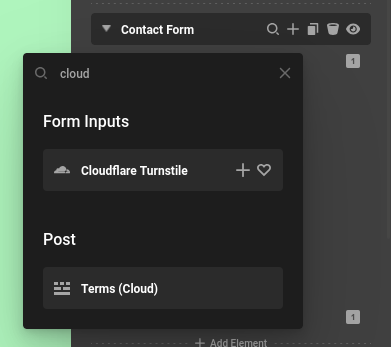
So you are almost there. If you add the Cloudflare Turnstile element to each of your forms, that’ll make sure validation happens. There is also styling options if you are not in “Invisible” mode. Let me know if that helps and have a great day.

image

Thanks for the clarity. I’ll review now.
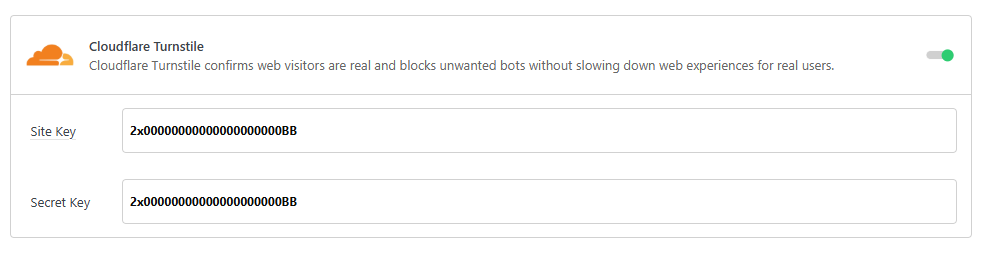
So, what’s the point of this section in Cornerstone>Settings>Forms? If I complete here do I still need to complete these fields in the Turnstile element or leave blank to use these global values?

Yes if you set your keys there, you don’t need to set them in the Turnstile element. It will default to your global values. It’s useful if you want to use a “managed” turnstile on one form, and an “invisible” element on another form.

1 Like

This topic was automatically closed 10 days after the last reply. New replies are no longer allowed.