Hello,
With the header builder, how can I change the style of the icon to close the menu (color and size)?
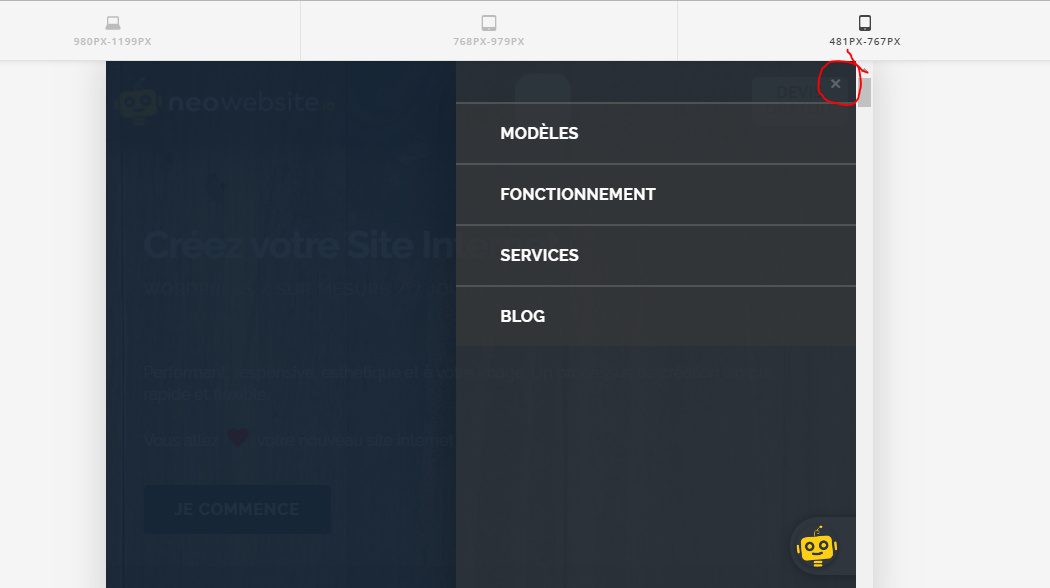
Thanks,
Antoine
Hello,
With the header builder, how can I change the style of the icon to close the menu (color and size)?
Thanks,
Antoine
Hi Antoine,
Thank you for reaching out to us, There is an option in Header Builder to customize the close button. First inspect your Navigation Collapsed element in Header Builder then go to Off Canvas tab, under Setup you can change the size and dimensions and under Colors you can change the close button color and it’s interaction color (see screenshot)
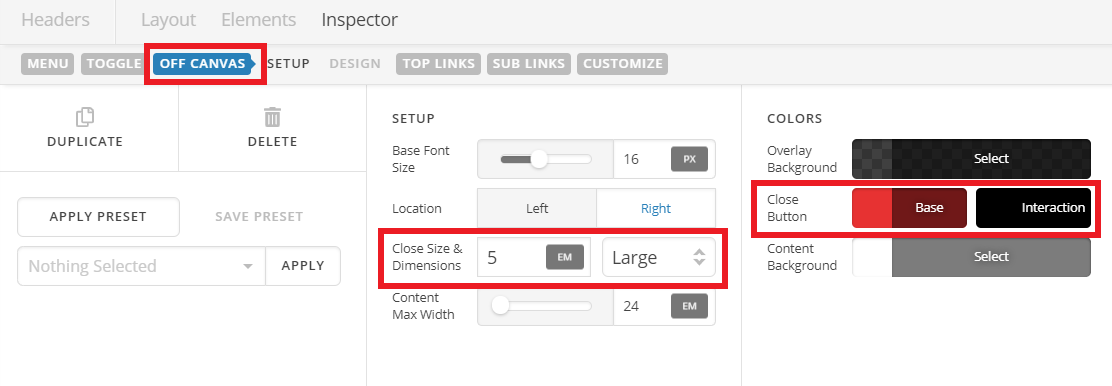
Hope this helps!
Thank you!
You’re most welcome!
This topic was automatically closed 10 days after the last reply. New replies are no longer allowed.