Clipping of "The Grid" post grid out of colum & header logo broken

Hi there,

I am finaly starting to get our website development up and running.
https://smart2b.net/

now the postgrid of the plugin “The Grid” is clipping out of the zoom in style i am using.
It is om the homepage and the top row is clipping on the top side and the second row of posts is clipping out on the lowerside when you hover over them.
Is there anyway to fix this problem?

Also when i upload my logo it gives some problems somehow and still says “En nog een WordPress site”.

Hello There,

Thanks for writing in! Do you want something like this?

To resolve this, please edit your page and find the row that contains the grid. In the row settings, please disable margin less columns and enable the column container instead.

Your image is not showing because of your cache. Since you have installed a caching plugin WP Super Cache, please clear your plugin cache before testing your site. This can cause the changes to not take place on the front end. It will eventually show up when the cache regenerates, but it’s not ideal if you’re looking to see your changes immediately. Caching plugins are best to turn on only when you’ve finished building the site.

Please let us know how it goes.

Thanks for your reply.

I think my questions wasn’t clear enough.
I want a full whidth grid, but the style of the hover over is that the featured image is pushed up and the tekst is displayed beneath it.
In the top row the image get clipped of.
On the lower half the box with the text get clipped out beacause the row ends there.

The not showing of the logo still doesn’t work after clearing all the cache en putting caching of.
The strange thing is that in cornerstone it shows as it should but on the page itself it keeps loading.

I can only upload 1 image so sorry the images are missing

by the way is bought the extended support and even the 1 year term but your site says you aren’t giving any premium support…
How can this be? is there some other way to get this support or was it a scam from theme forest?

Hi There,

For the grid, that is how it works by default. Overflow is set to be hidden. Try the following CSS:

.home .tg-grid-slider {
    overflow: initial !important;
}

See this: https://screencast-o-matic.com/watch/cbXQcg2lAO
Further customization from here would be getting into custom development.

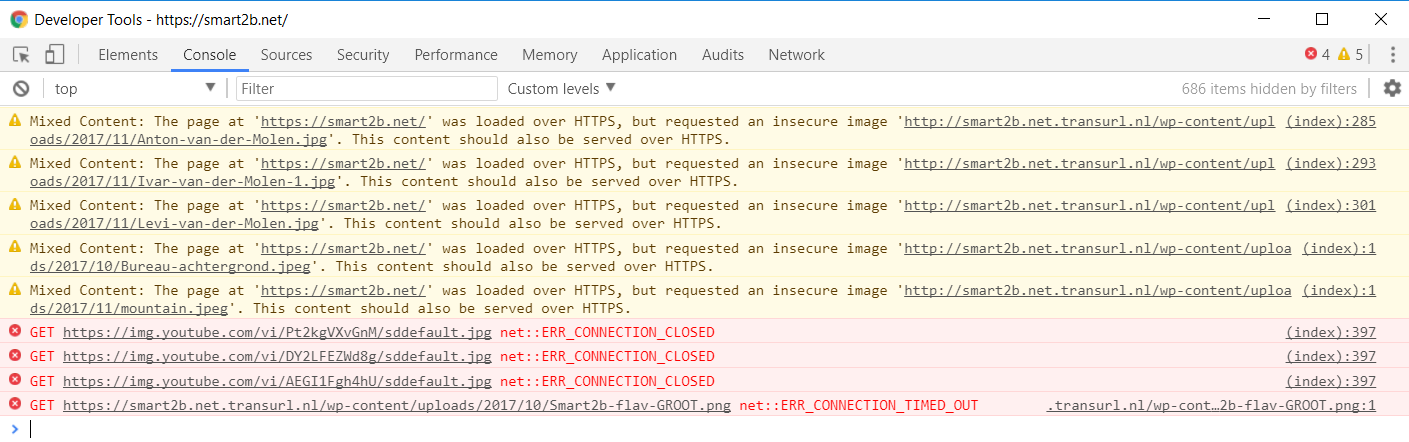
Can you clarify which logo is missing? I can see your logo is showing fine. There’s only mixed content issue and connection error for some images.

Check in with your hosting provider about connection error and then try to upload those image with mixed content issue.

That support system is within themeforest. See this: https://kriesi.at/support/topic/envato-support-policy-2/
We always have support here on this forum but not premium. We’re answering from oldest to newest. Just note not bump your thread because it will pushed your thread back on the queue.

This topic was automatically closed 10 days after the last reply. New replies are no longer allowed.