I want to put ‘Buy Now’ button in my header Menu, and when I click on it, I want to end up on the ‘pricing table’ at the end of the page. How can I get that?
Hi David,
Thank you for writing in, first open your page in Cornerstone and assign a unique ID to your “pricing table section”.

Remember this ID because you’re going to use this on the menu.
Then navigate to Appearance > Menus and add a Custom Link menu item.
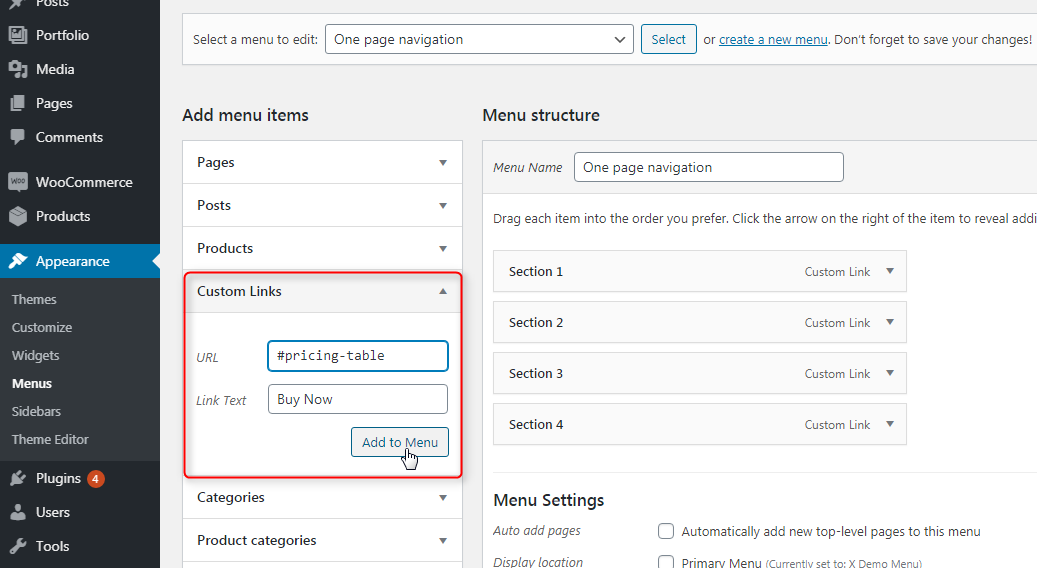
In the URL put the ID of the section appended by #, in the Link Text put “Buy Now” as the label.
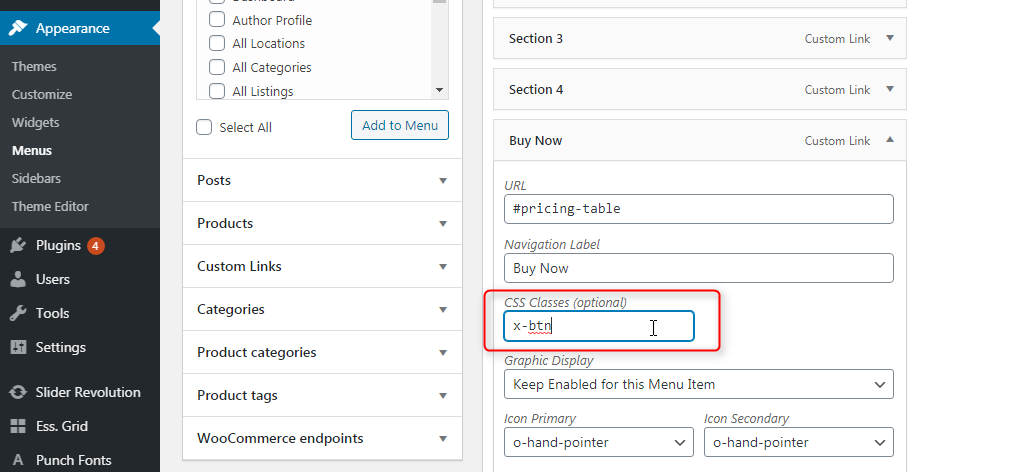
After you added that item to your menu, you have the option to apply a CLASS to it, apply a class x-btn so it would look like a button.
Hope it helps,
Cheers!
This topic was automatically closed 10 days after the last reply. New replies are no longer allowed.