Classic Slider

Hi,

I have built out an entire website which uses the Classic Slider in the Portfolio section. I then saved the layouts as templates. In trying to clean up after myself, I mistakenly deleted a template that I needed. I was able to restore the template (portfolio w/slider) from my dev site but now when I load the template to a new page it is not displaying on the front end. I can see all of the slides if I go into the wireframe mode, but even after editing/updating the images they are not showing until I look at the live preview. I am handing the site off to the client and need to get the template working properly again, without restoring the entire development database if possible (several changes have been made since then). See screenshots below.
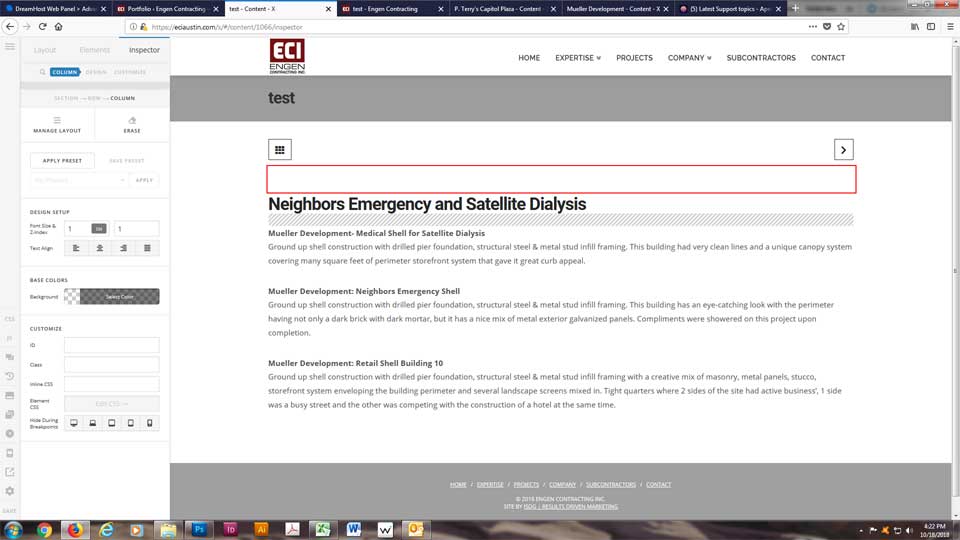
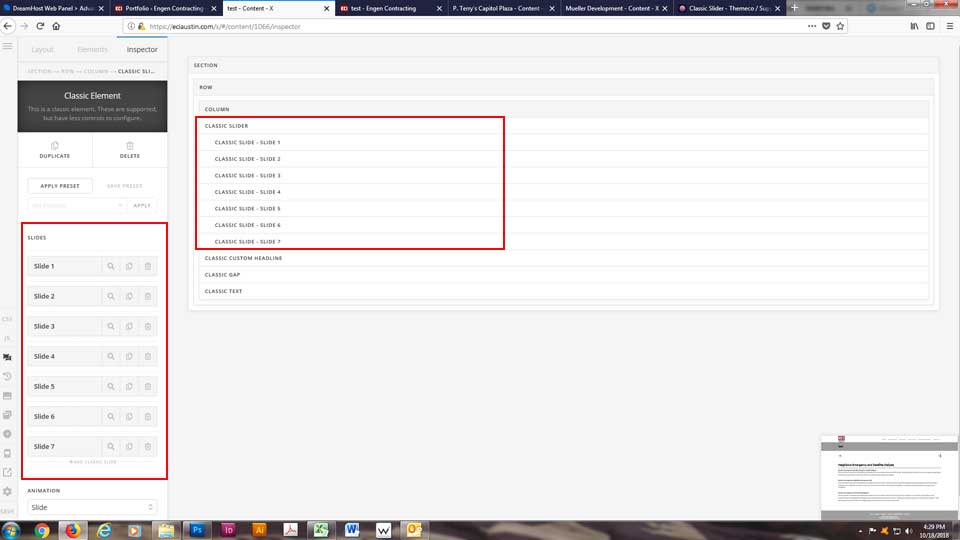
Can anything be done to bring back the preview and front end editing tools?
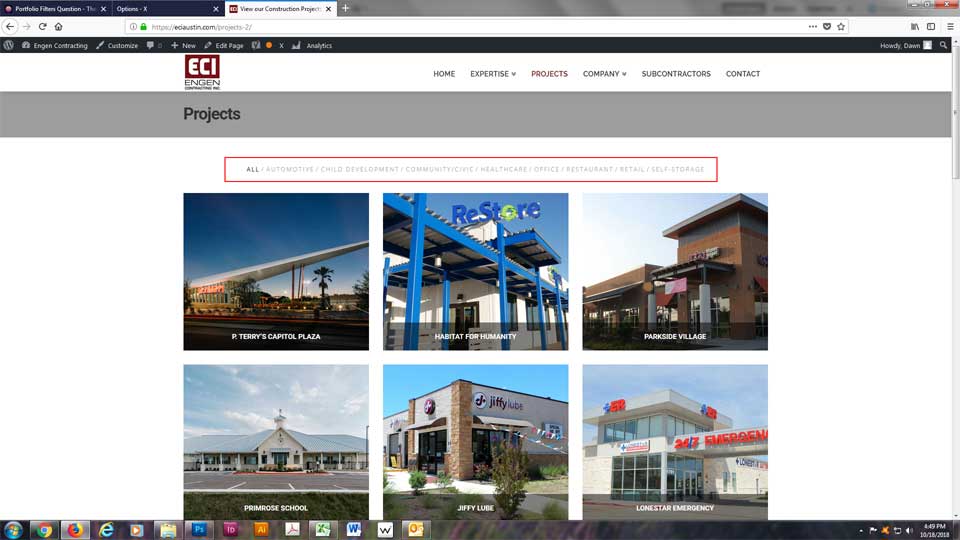
One more question on the same site… you previously gave me some code to adjust the Portfolio Filters (#44665). The client is now requesting that I change the color of the filters as he thinks it is too light to read comfortably. I have tried further adjustments to the code you gave me, but I can’t get the color to change. The hover color is fine.

Hi There,

Our apologies for the inconvenience. This is a known bug that is already added to the issue tracker. You can check the changelog page on our next release to see if a fix for this issue is included.

Thank you for understanding,

OK, at least it is something you are working on. We can work around it for the time being.

Can you please let me know how to change the font color on the Portfolio Filters, the second question I added about this same site?

Thanks,
Dawn

Hello Dawn,

Thanks for updating the thread. :slight_smile:

You can add following CSS under X > Theme Options > CSS:

.option-set .x-portfolio-filters-menu > li > a.selected {
    color: #000;
}

.option-set .x-index-filters-menu>li>a, .option-set .x-index-filters-menu>li:after, .option-set .x-portfolio-filters-menu>li>a, .option-set .x-portfolio-filters-menu>li:after {
    color: #928e8e;
}

1- I have found the proper CSS code selector using the Chrome browser Developer Toolbar: https://www.youtube.com/watch?v=wcFnnxfA70g

2- For the CSS code itself, I suggest that you get started with this tutorial: https://www.youtube.com/watch?v=yfoY53QXEnI

Thanks.

Thank you. I was trying something along the lines of “.option-set .x-portfolio-filters-menu” but was missing the other part of the string.

We are delighted to assist you with this.

Cheers!

Hi @isdg01,

We were able to get this fixed! It’s in today’s update.

This topic was automatically closed 10 days after the last reply. New replies are no longer allowed.