How do I get the classic skill bar text to go to white

How do I get the classic skill bar text to go to white
Hello @VelocityWeb,
Do you want something like this?

By default, the background color of the skillbar is #e4e4e4. To change it to white, please add the following CSS code in the X > Theme Options > Global CSS (http://prntscr.com/evui3r)
.site .x-skill-bar {
    background-color: white;
}
Hope this helps.
No I want the background dark and the text white
Hey @VelocityWeb,
To specifically target Heading of the Classic Skillbar so you can change the color depending on the background, assign a class to the specific Skillbar element like dark-bg and add the code below in your Content CSS.
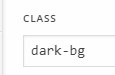
.dark-bg .h-skill-bar {
  color:white;
}

You can change the class to any descriptive name.
Hope that helps.
wicked! that worked well 
Glad to know!
Thanks
This topic was automatically closed 10 days after the last reply. New replies are no longer allowed.