Is it possible to show portfolios in the classic recent post element but with the format of the portfolio page?
Classic recent post => https://www.pigmentgallery.es/#artists
Portfolio page => https://www.pigmentgallery.es/artists/
thank you!
Is it possible to show portfolios in the classic recent post element but with the format of the portfolio page?
Classic recent post => https://www.pigmentgallery.es/#artists
Portfolio page => https://www.pigmentgallery.es/artists/
thank you!
Hi Mauro,
Thank you for reaching out to us. Yes you can show portfolios in the classic recent post element by selecting the Post Type as Portfolio (see screenshot)

By format did you mean the layout / design of the Portfolio items? This would require custom CSS which is regretfully outside of our support scope, but we will do our best to help you getting started with the customization but we will not be able to implement it. You can add the following code in
.x-recent-posts .x-portfolio .x-recent-posts-content {
    position: absolute;
    bottom: 0;
    background: rgba(0,0,0,0.6);
    width: 100%;
    text-align: center;
}

.x-recent-posts .x-portfolio .x-recent-posts-content * {
    color: #fff !important;
}

.x-recent-posts .x-recent-post2 {
    padding: 0 !important;
}
Hope this helps!
The only thing missing is the size of the images, which are still smaller than on the portfolio page.
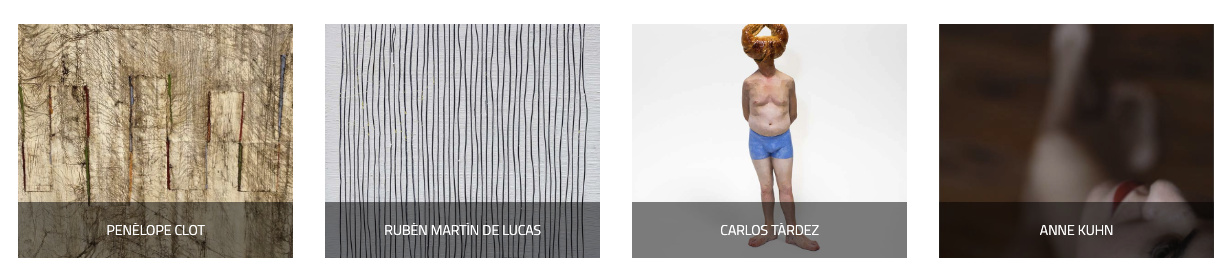

thank you
Hey Mauro,
You can add the following code as well:
.x-recent-posts .x-portfolio .x-recent-posts-img {
    padding-bottom: 100%;
}
Here are some related links for further reading, this could help you in finding and implementing some CSS fixes:
Hope this helps!
I have already seen the problem …
On the portfolio page, as a background image take the original, but in Classic recent post take a cropped. It is possible that the Classic recent post takes the original image instead of the cropped
I’m using the shortcode: [recent_posts type=“portfolio” count=“4” orientation=“horizontal” category=“Artistas”]
Classic recent post => https://www.pigmentgallery.es/wp-content/uploads/2019/03/ID_Carlos-Tardez_Minotauro-800x483.jpg
Portfolio page => https://www.pigmentgallery.es/wp-content/uploads/2019/03/ID_Carlos-Tardez_Minotauro.jpg
thank you
Hello Mauro,
To get this issue resolved, please add the following CSS code in the X > Theme Options > Global CSS (http://prntscr.com/evui3r)
.x-recent-posts a {
    padding: 0;
    border: none;
}

.x-recent-posts .x-recent-posts-img {
    padding-bottom: 100%;
}

.x-recent-posts .x-recent-posts-content {
    width: 100%;
    position: absolute;
    bottom: 0;
    left: 0;

    background-color: rgba(0,0,0,.5);
    color: #fff;
    padding: 1.5em;
}

.x-recent-posts .h-recent-posts {
    color: #fff;
    text-align: center;
}
We would love to know if this has worked for you. Thank you.
This topic was automatically closed 10 days after the last reply. New replies are no longer allowed.

