Classic promo photo size

I’m looking for assistance on how to change the size of the photo in the classic promo element.
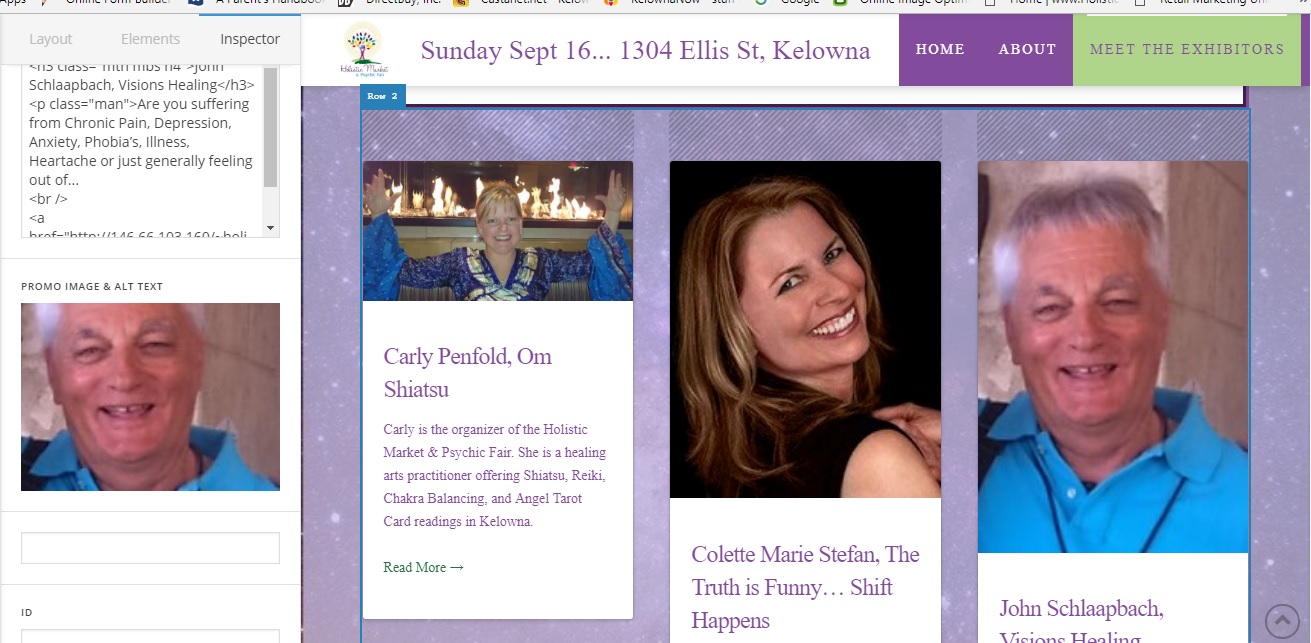
I have vendors for an event and I’d like them to all look the same size. (see screenshot for how it is now) Other than going into each picture and resizing it , is there a way to change the border or margins so they look better next to each other? Or putting them into a ‘circle’?

Carly

Hi Carly,

Thanks for writing!

There is currently no settings available for this.

You will need to do it using Custom CSS.

You can try adding the code below in Theme Options > CSS

.x-promo-image-wrap {
    height: 160px;
    overflow: hidden;
    background-color: #fff;
}

You may change 160px to adjust

Hope this helps

This topic was automatically closed 10 days after the last reply. New replies are no longer allowed.