Classic features list - link icon to pop up

Hi,

I want to have the icons to link to a pop up (I’ve used modal popup in convert plus) but I can’t find how to add the shortcode to each icon there is only a href to add a link?

I have used this code from another post:
2- Add this JS snippet to the content JS area:

jQuery(document).ready(function($) {
	jQuery(".healthcare .x-feature-box-graphic").click(function() {
	    window.location = "http://naplesinsurancegroup.com/wp-content/uploads/2018/04/medical-letter.pdf";
	});
});

3- Add this CSS snippet to the content CSS area:

.healthcare .x-feature-box-graphic{
  cursor: pointer;
}

4- Repeat the previous steps for each Classic Feature Box you have. Make sure to change the class name in the code snippets above according to your new item and of course, change the file URL in the JS snippet.

Obviously I don’t have a ULR but don’t know how to make a short code, and I’ve used the ‘class’ box so can’t use that.

Am I missing something?

I’m not a professional and self taught so simple advice would help!

thank you
Hey @paulmcf1,

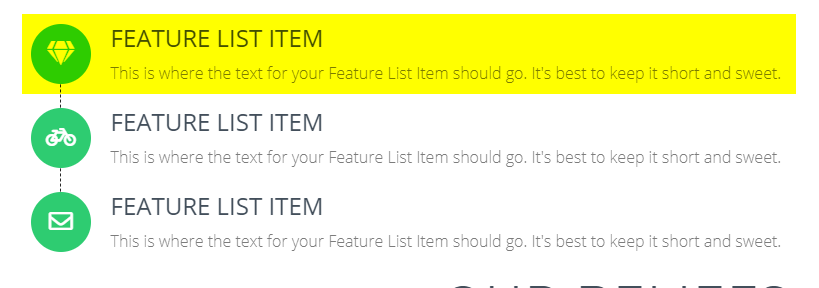
Launching the ConvertPlus modal using the Classic Feature List Graphic would require custom development. What’s possible is launching the modal using the entire feature list item.

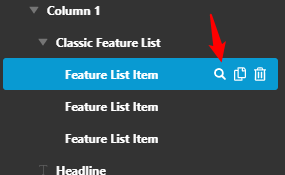
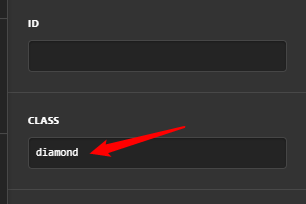
If you choose that instead of the graphic icon only, simply assign a class for the specific feature list item. Inspect the list item and scroll down till you see the Class field.

image

image

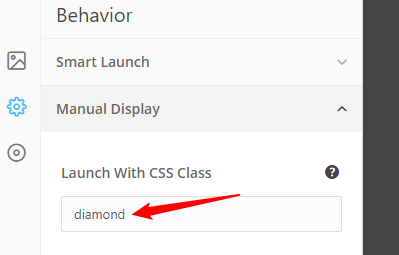
Then, insert the class in the modal’s Behavior > Manual Display > Launch With CSS Class option.

image

Play the video below to see the result of the setup.

If you really need to launch the modal from the graphic icon only, you will need to forward this customization request to your developer. We will not provide a custom code for this as this is beyond the scope of our support.

Hope that helps and thank you for understanding.

thank you so much for your speedy reply!
Yes I tried CSS class as it says and I couldn’t get it to work.

I deleted all the JS and CSS code, deleted cache and I’ve just tried that again and still not working.

Would their be any reason why ?
thank you for your help

it’s fine I was missing one thing in the modal-popup under ‘target pages’

I’ve sorted it - thank you!

Hello @paulmcf1,

Please make sure that you have added the correct class name and that you have added it to the Feature List Item and not the element itself.

It is also possible that there are some JS error that is causing the modal not to display.

Please check this link on how to check for JS errors:

https://wordpress.org/support/article/using-your-browser-to-diagnose-javascript-errors/

Hope this helps.

1 Like

This topic was automatically closed 10 days after the last reply. New replies are no longer allowed.