Classic Elements in Pro

Hi

I have a footer menu built with the Classic Icon List element. It is icons and text. I changed from X to Pro and it went smoothly except that the Classic Icon List is quite messed up. It does appear in the Pro-built page if I use it as a Global Block but it has styling that I want to change.

So, basically I am trying to work out how I can use the Classic Icon List straight on the page since it is says classic elements are supported. I’m attempting to use it in a new footer I’m building but need it to go directly in and be editable.

I have just realised it may be due to me removing ‘Cornerstone’ – although not sure if re-installing that will help?

Although when I try to activate it alongside Pro Child Theme I get this message:

Summary

Fatal error: Cannot declare class Cornerstone_Plugin_Base, because the name is already in use in /home/steedman/public_html/wp-content/plugins/cornerstone/includes/utility/plugin-base.php on line 6

?

Thanks

R
Hi There,

Thanks for writing in!

There is no need of cornerstone in pro. Pro already having its editor which has an advanced feature like header footer builder.
All the classic elements are supported in Pro so there shouldn’t be an issue. But there is no option to use classic elements in footer directly. You have to use a global block for that.

I would suggest to you if you are using pro footer builder, it’s better to use social element which has an advanced feature to ad social link.

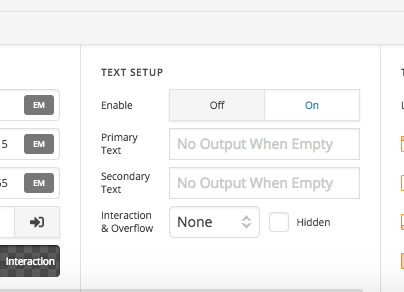
In social element, you can also add text with the icon.

Also, you can use the social element to build global block and use it different place.

Hope this helps!

That’s great thanks I’ll probably try that.

In my footer on https://www.steedman.co.uk/

The social icons have a border when hovering but I can’t see anywhere to remove the border despite looking hard?

Great if you can show me how to remove it!

Thanks again

Hi There,

The site is not opening on my end. Please check and let us know.

Thanks

Oh not sure how not opening.

Anyway I realised it is to do with the box shadow. Many thanks!

Glad it’s okay now and you’re most welcome!

1 Like

This topic was automatically closed 10 days after the last reply. New replies are no longer allowed.