Hi There,
Thanks for writing in!
I checked your site, in mobile view there is two section coming with three columns, one is stacked each other another is three column. Which is not present in the desktop view.

Please confirm if this is intentional?
When I login to the page and trying to edit with Pro builder, the site having several JS issue, which is preventing the page load properly.
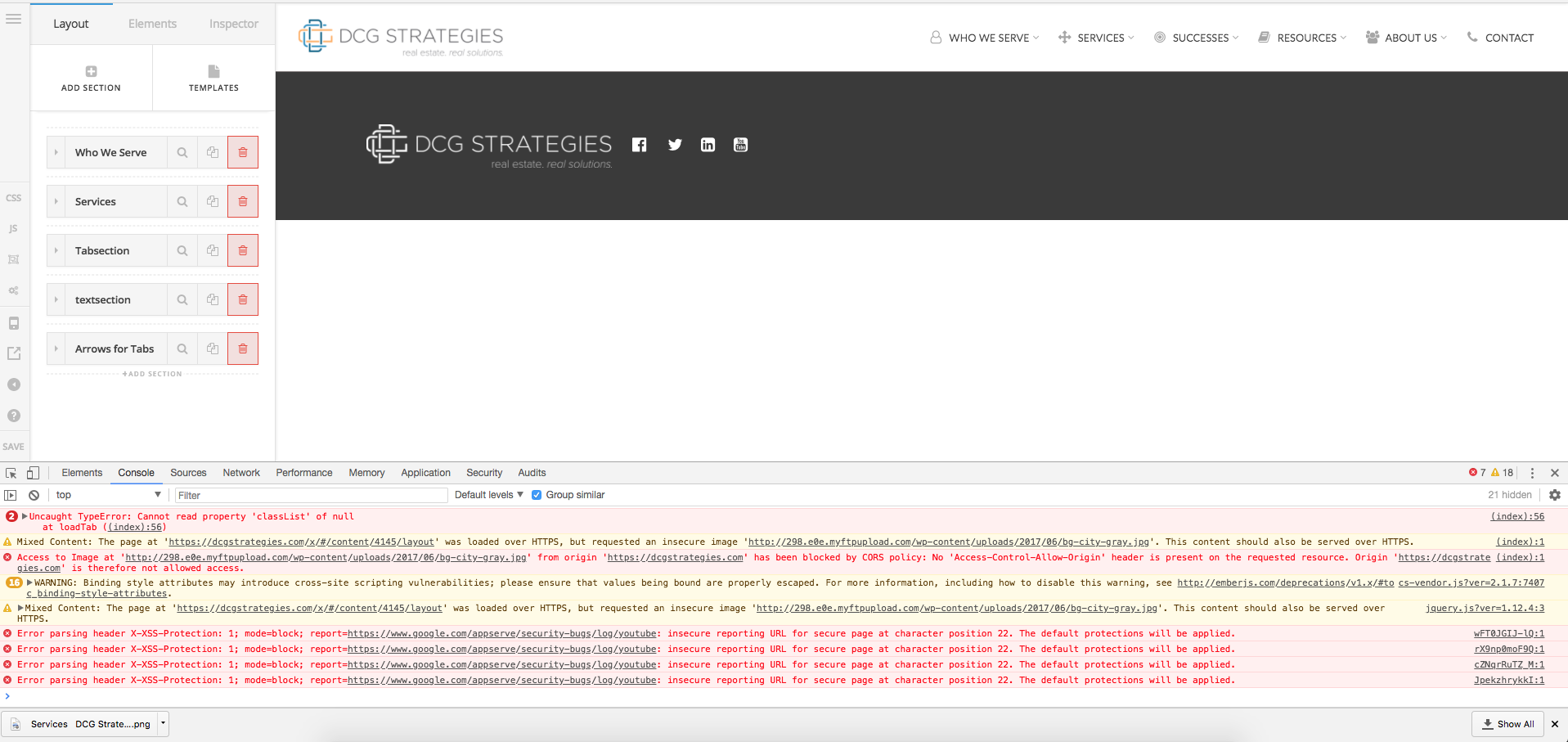
Your page is facing a cs-vendor.js issue, due to server blocking the fine to load properly.
Please overwrite the theme file via FTP if you haven’t done any customization to code, it may fix the issue.
Please refer to this post https://theme.co/apex/forum/t/cs-vendor-js-makes-cornerstone-not-load-preview-cant-edit-pages/23849/
How people faces similar issue.
Hope this helps.
Thanks
