Hey Guys,
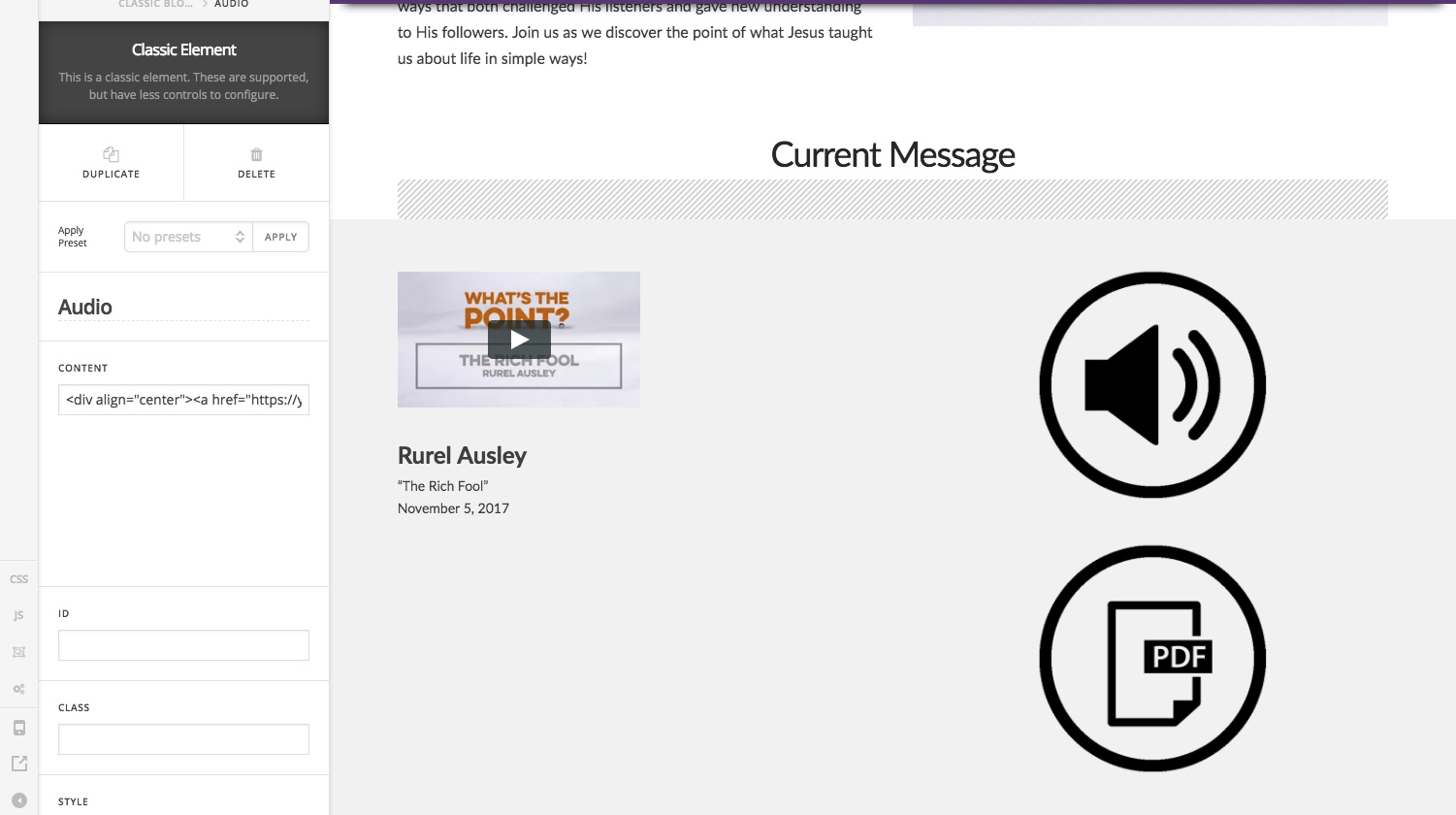
When editing in PRO we are using the Block Grid(classic) and are now having interface problems. It still puts the pages together fine for the outside world but doesnt work inside the Pro editor.
How can we resolve this?
Hey Guys,
When editing in PRO we are using the Block Grid(classic) and are now having interface problems. It still puts the pages together fine for the outside world but doesnt work inside the Pro editor.
How can we resolve this?
Hi,
Can you provide us the html code you have added as content so we can test in our end.
Thanks
Sure thing. It’s a 2 Column Grid with…
<div align="center"><a href="https://yourcrosspointnv.org/wp-content/uploads/2017/11/1105wtp3-ra.mp3" target="_blank" rel="noopener noreferrer"><img class="alignnone" src="http://yourcrosspointnv.org/wp-content/uploads/2014/09/soundcircle.png" alt="soundcircle" width="50%" /></a></div>
Hi there,
That’s an audio element and you’re adding a non-audio embed code. You could try it adding classic text element with your code then let us know how it goes. And I don’t see how it’s related to block grid especially your screenshot, would you mind providing more details and screenshot? And please provide the exact site’s URL that has this issue.
Thanks!
Hey Guys,
I’ve tried to just add anything and it breaks the view. I’ve tried building just some text blocks as well to no avail. Continually breaks the view. This previously worked with no issue but please feel free to check it out. I’m attaching login credentials now
Hi There,
Thank you for the credentials. I can see the issue. Unfortunately, this is a known bug on block grid element. Columns are not applied properly when on the builder. We’re sorry for the inconvenience this has caused you. We will let you know once we have an update.
Thanks for the update, and please keep me posted as this is a pretty large issue for this client
EP
No problem.
Please do watch out for the updates in your WP dashboard’s update notifications and also check our changelog here: https://theme.co/changelog/
This topic was automatically closed 10 days after the last reply. New replies are no longer allowed.