Class specific to cornerstone editor

Hello!

I have a script that relies on an element being hidden with CSS set up as $el {visibility: hidden;} to reveal content on the front end as part of an animation, but it doesn’t fire in the Cornerstone editor, so I can’t preview the section it’s attached to without disabling my CSS. (Which could potentially mess up production if I forget to undo that!)

Is there a class I can add to this like :not(.cornerstoneeditor) $el {visibility: hidden;} to help get around this? I explored in the inspector for a while but nothing I tried was working.
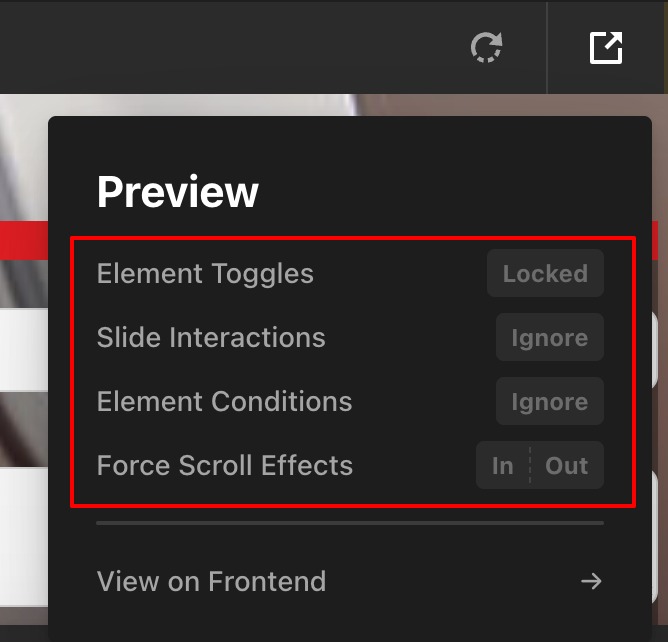
Hello @GL_creative,

Thanks for writing to us.

Unfortunately, there is no option to ignore custom CSS code while working in Builder mode. The available options are limited to Cornerstone Conditions and Slider .

Thanks for understanding

Oh sorry. I’m not looking for a toggle solution.

The contents appear inside a frame and I thought there might be an ID or a Class from the Cornerstone frame that I could include in my CSS.

I decided to take one more look and I actually found it.

Cornerstone includes a class in the HTML tag of the page preview area for the Cornerstone theme (light or dark), so I was able to create the visibility exception I was looking for with this:

html:not(.tco-ui-theme-dark) $el{visibility:hidden;}

Looks like there’s also a .tco-preview class on the Body tag which would likely also work. I’d tried tco-root which is further up in the DOM and that didn’t work. The trick is getting the rule inside the iframe displaying the actual page HTML.

Hopefully this helps others!

1 Like

Hello @GL_creative,

I’m glad to hear that everything is going well for you. Thank you for sharing this information; it may be helpful to others as well.

Thanks