hi all
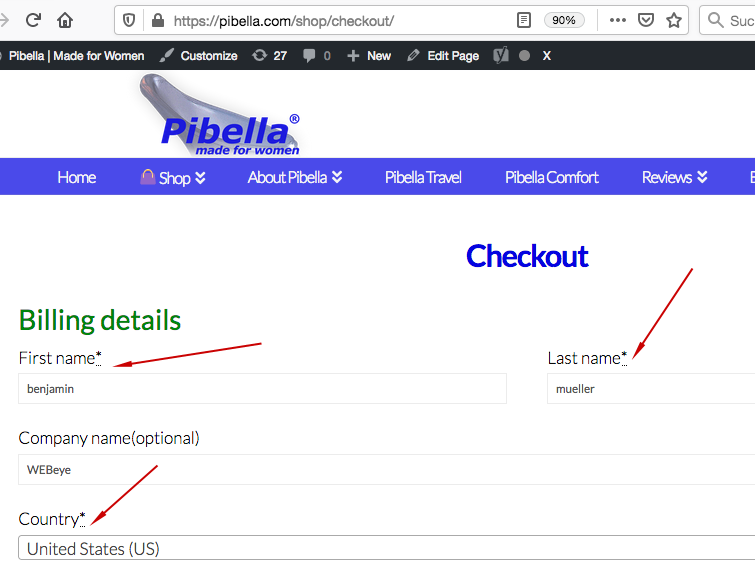
how can get rid of the three dots on the checkout side. Icon stack is used.
thanks and best regartds, ben
hi all
how can get rid of the three dots on the checkout side. Icon stack is used.
thanks and best regartds, ben
Hi Ben,
Thank you for reaching out to us. To remove the dots from the checkout page, please add the following code in the Theme Options > CSS:
.woocommerce-account form abbr, .woocommerce-checkout form abbr {
    border: 0;
    text-decoration: none;
}
Don’t forget to clear all caches including your browser’s cache after adding the code. Let us know how this goes!
THANKS alot, ben
thanks
ben
You’re very welcome!
You’re very welcome!
This topic was automatically closed 10 days after the last reply. New replies are no longer allowed.