How do I change the layout of the checkout page? I want my checkout page to have 2 columns like this 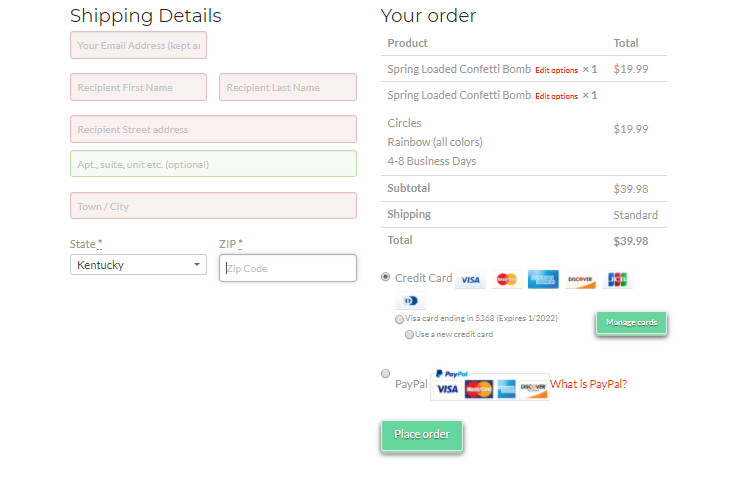
Hi There,
Please add this custom CSS under X > Theme Options > CSS:
div#customer_details {
    float: left;
    width: 48%;
}

h3#order_review_heading,
div#order_review {
    float: right;
    width: 48%;
    margin-top: 0;
}
Hope it helps 
This topic was automatically closed 10 days after the last reply. New replies are no longer allowed.