Checkout editor plugin checkboxes in mail

Hi guys,

I’m using the checkout editor plugin from themeco and i have created a few fields in there. the fields show in the front-end but they do not show in 2 places:

  • The order overview config
  • The mails that are sent to both the user and the admin.

Now, what i’d like to know is how could i add them to these 2 places (because, really, without them, the entire plugin is a bit useless because now because it’s like i get the information but then i can’t see it anywhere, hehe.

Here’s a visual aid of my problem and what i’d like to have: https://www.loom.com/share/5b17a08671094f78ac15f4d419928dd6

So at this point i ask you:

  1. do you have maybe a filter or action that i can use so i can write my code in the functions.php file of the PRO child theme

  2. Can you please add this to the feature list of this plugin (it’s pretty incomplete without it :confused: )

  3. Is there a way i can do this without coding? i don’t want to jump into the code if the plugin is already doing it!

  4. could you point me in the right direction If you have a documentation set for the plugin or maybe some files in the plugin that i could check in order to maybe study the code.

Thanks.

Hi Alejandro,

For the order overview page, please kindly go to the order overview page and from top right section of the screen click the Screen Options and make sure that the Custom FIelds checkbox is checked:

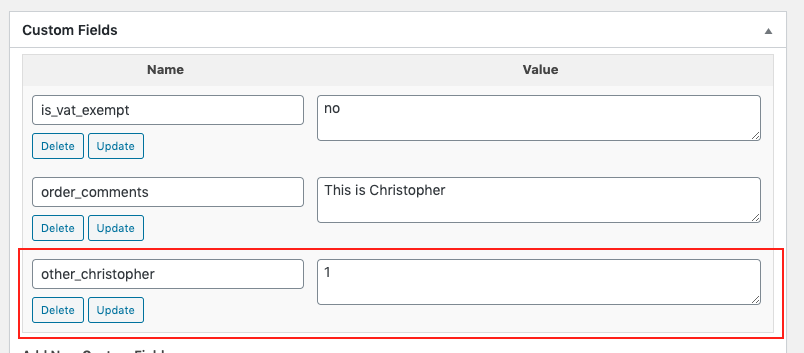
Then, please scroll down the page and you will see the Custom Fields section. For example, I added a Checkbox from the Extra Fields of the plugin and it shows for me:

Now, I am not sure about the mail part of the question, as I do not have a way to check that as I am using a local installation.

I did check the code of our plugin and I see that we have a separate file for the email template. Please kindly go to

wp-content/plugins/tco-woo-checkout-editor/templates/mail/additional.php

If you set the email to be in HTML mode. Or go to:

wp-content/plugins/tco-woo-checkout-editor/templates/mail/additional_plain.php

If you set the email to be text, you might find something that ere that could be of help.

Thank you.

hm, weird, though, because the extra field custom field that i created is never added to the custom fields list, i mean, even in that screenshot you shared, you can see that your custom field does work but the real one never appears.

I created a staging site because i’m making a few mods to the site, and i’d like you to check it out if possible because it’s weird that your custom field appeared and not mine.

Mine was created a long time ago,though, at least a few updates ago from the plugin, so do you think that could be an issue (sounds unlikely).

by the way. the custom field i’m talking about is called “other_signature”

Hey Alejandro,

I’m sorry I’m not sure what Christopher is pointing out so going back to your video I’m going to point out a few things.

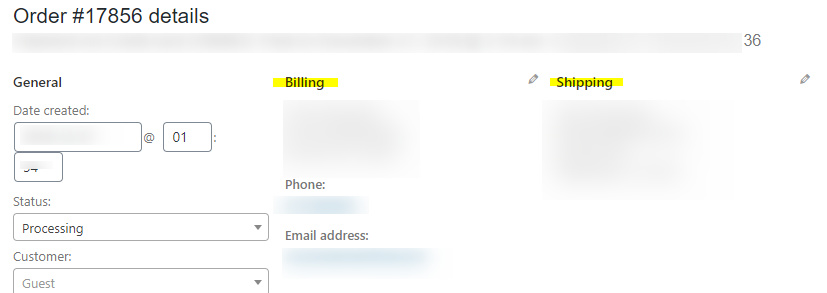
  • You’re using Extra Fields and the Order Overview only shows the Billing and Shipping fields. The Extra Fields might have not been included in there because there’s no more room. I’ll post this in our issue tracker so this will be queued for investigation by our developers.

I know this might not be logical but for testing purposes and maybe a temporary workaround, would you mind adding the 2 fields under Billing?

-----------------------------------------------------------------------------------

Regretfully, we could not provide instructions as to how to add the Extra Fields in the Order Overview and Email Notification. We would need to wait for our developer’s feedback about this. With that said, would you mind hosting the Loom screencast video for a little longer so they could watch your feedback.

Thanks.

Oh sure, i’ll try it there and see if that works. i’ll also check the different files your colleague pointed out and see if i can also find another workaround (with code) and share it here if i do.

Thanks for the reply!

Thanks, Happy New Year.

Cheers!

This topic was automatically closed 10 days after the last reply. New replies are no longer allowed.