Changing the size of the category title in woocommerce

Hi,
I would like to change the size of the category text seen here https://kingdomwaves.com/contactandbook/.

I have tried adding this to css as I have seen it answered in support already but im afraid it did not work for me.

thanks!

Hi,

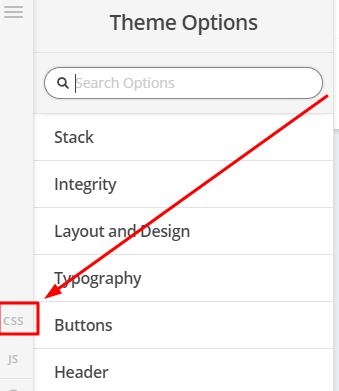
To change the size of the title, you can add this in Theme Options > CSS

.archive.woocommerce .product-category h2.titre2 {
font-size:25px;
}
Change 25px to adjust.
Hi @tomleen,

Please try this code in the Global CSS:

.entry-title {
    font-size: 35px;
}

Hope this helps.

hi jade,

the css you provided changes the text of the title 'kingdomwaves surf school ’ on the home page. i want to change the size of the product category text.

thanks

Hi @tomleen,

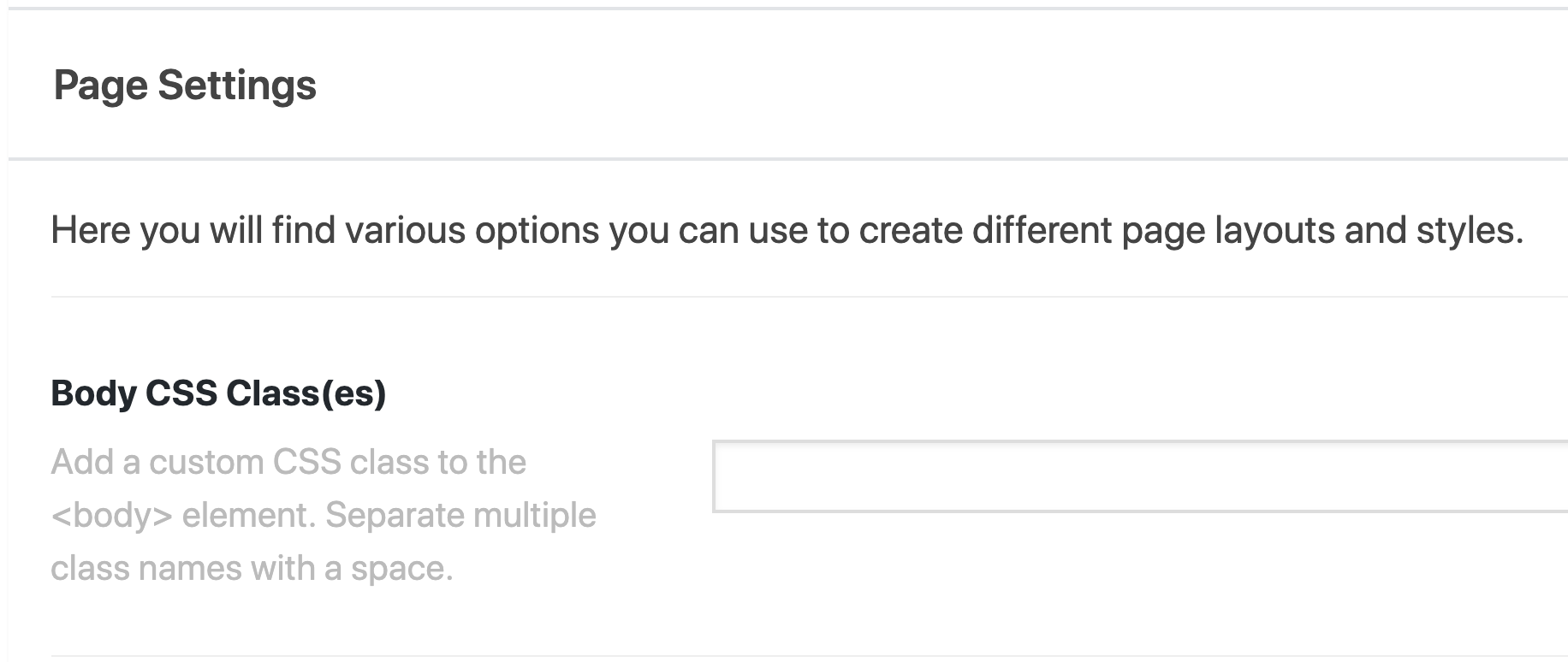
Please add a class value of the Body CSS Class(es) to the contact and book page then add this code in the Global CSS:

.adjust-font .entry-title {
    font-size: 35px;
}

The code above assumes that the class you have added to the page is adjust-font.

If you want to have the page title of some other pages 35px, you just have to add the class adjust-font to the pages.

Hope this helps.

Hi @tomleen,

Are you referring to this text?

If that is the case, you can try this code instead.

.woocommerce li.product  h2.woocommerce-loop-category__title {
       font-size: 25px;
}

Thanks

hi paul, yes you are correct with the arrows pointing to the text, thanks a lot. im afraid adding the css did not change it though. just to be clear iadded the css you gave me to global css under them options. is that the right place to put it?

thanks

Hi @tomleen,

Yes, that’s correct.

I can see you have autoptimize plugin installed, please try to clear that plugin cache then check again.
It’s also possible that there could be a syntax error in your css code. Plesae copy your entire css code and paste on the link below to test.

http://csslint.net/

Thanks

This topic was automatically closed 10 days after the last reply. New replies are no longer allowed.