Changing text displayed by the Navigation Inline element in header template

Hi, I’m trying to change the content that appears within the Navigation Inline element from the Starter: Hero template in Theme Pro. Am I looking in the wrong place for where to edit this content? See annotated screencap below (edit: removed original screencap, see follow-up post below) showing where I presumed the place to edit the text and icons would be found – doesn’t appear to be an option to change what the menu options say from there.

I’ve read/watched every potentially related guide and K-base article I can find and none of them seem to explain how to do this – most of them direct to the Appearance > Menus tool from the Wordpress dashboard and show how to add menus there, but nothing I add/change on that page seems to affect the Navigation Inline menu, so I think I must be looking at the wrong guides/using the wrong search terms or something to find the right guide for how to do this.

I apologize for asking such a simple question but I am legitimately stumped as to how to do this. Can you please assist?
1 Like

Hello John,

Thank you for a very detailed post information. Those text or menu items that you are referring to can be changed or managed in Appearance > Menus. In your Navigation Inline element settings, you must take note which menu you are using so that when you go to Appearance > Menus, you will already know which of the menu and menu items you will have to change.

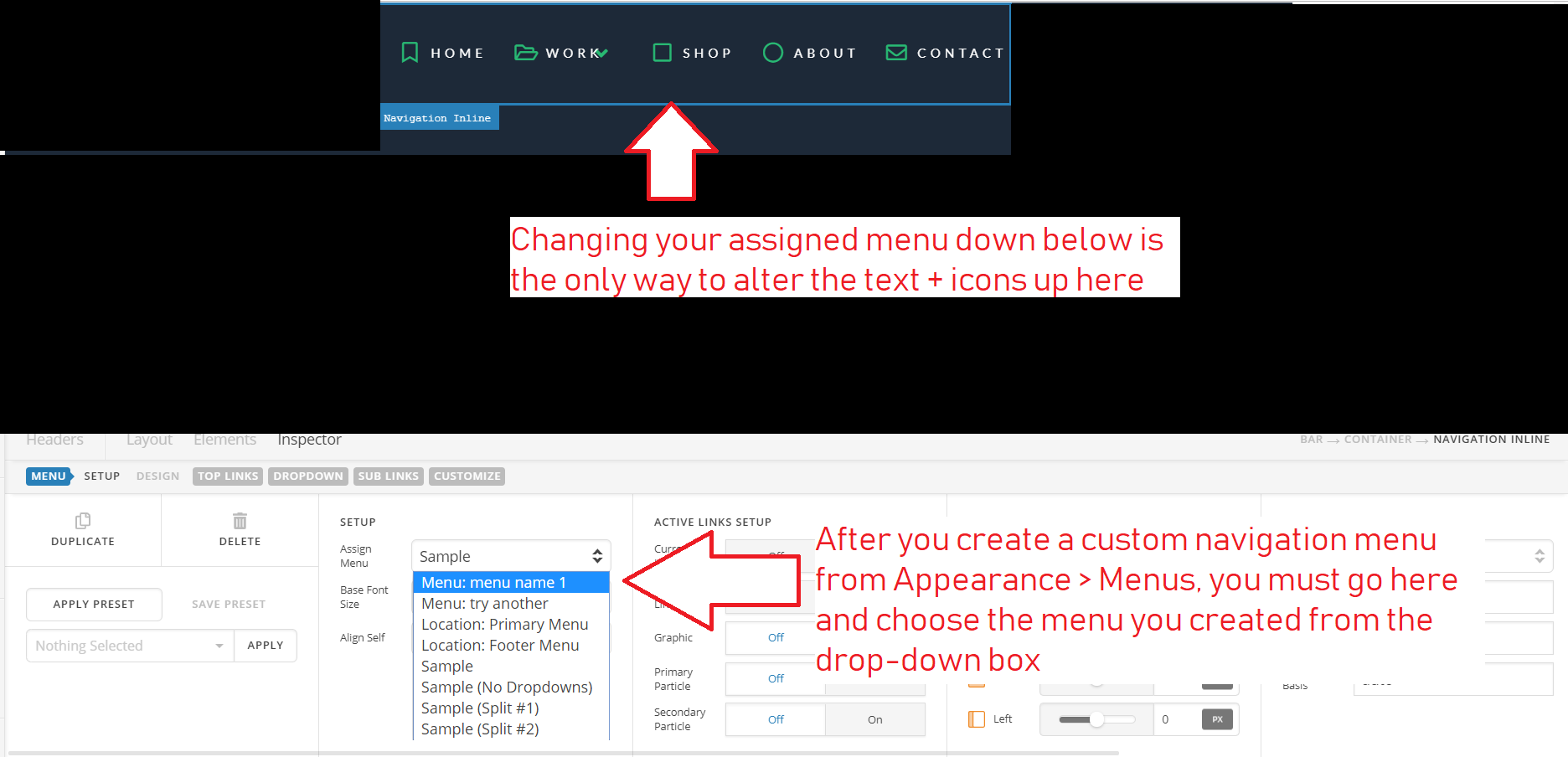
By the way, if you are using the Starter: Hero template, you will have to create a menu first in Appearance > Menus. You will add your menu items and then when you go back to the header builder, edit the Starter: Hero template and select the menu you just created as the menu to be used in Navigation Inline element settings > Menus.

Hope this make sense.

Got it! Thank you for the reply @RueNel. I’ve made a labeled image to help in case anybody else has the same issue and ends up finding this topic through a search.

You’re welcome!
We really appreciate for letting us know that it has worked for you.

This topic was automatically closed 10 days after the last reply. New replies are no longer allowed.