Changing Link Hover Color in Center Point Footer for Pro

Good Afternoon,

I am looking to add the Center Point footer to my website. The issue I am running into is that my site is using the Auto theme which has dark gray as the color for link hover. The Center Point footer has Green as it’s link hover color. How do I get the footer hover color to match the theme?
Hey Tom,

Thanks for writing in!

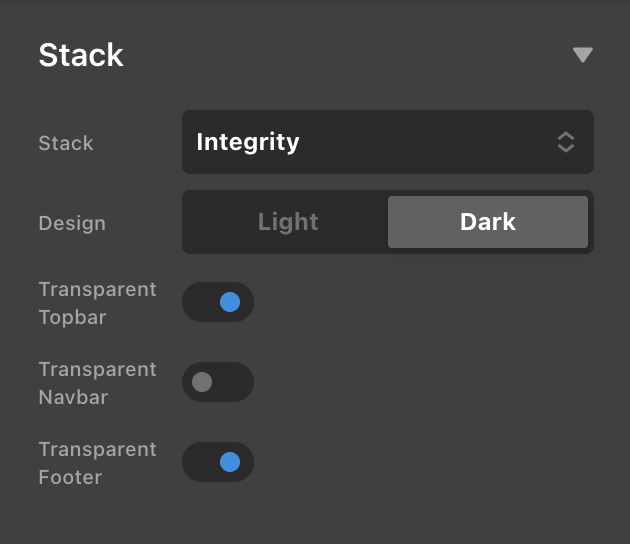
Please go to X > Theme Options > Stack and enable the transparent option for the footer.

The link and link hover colors can be changed in X > Theme Options > Typography > Site Links.

Hope this helps. Kindly let us know.

This topic was automatically closed 10 days after the last reply. New replies are no longer allowed.