How can I increase the font size of the header menu items?
Also how can I move them to the right as marked here:
Page shown is sanachoudary.com/blog
How can I increase the font size of the header menu items?
Also how can I move them to the right as marked here:
Page shown is sanachoudary.com/blog
Hello There,
Thanks for writing in!
To move the menu to the right as you have shown in the screenshot, please add the following CSS code in the X > Theme Options > Global CSS (http://prntscr.com/evui3r)
.x-navbar .x-nav-wrap.desktop {
    display: inline-block;
    width: auto;
    float: right;
}
Hope this helps.
Ok thanks. How can I increase the font size for the menu?
Hi There,
Thanks for writing in again!
You change the font size of the menu item in X-> Theme Option -> Header in the LINKS – TEXT setting.
You can change the font size.
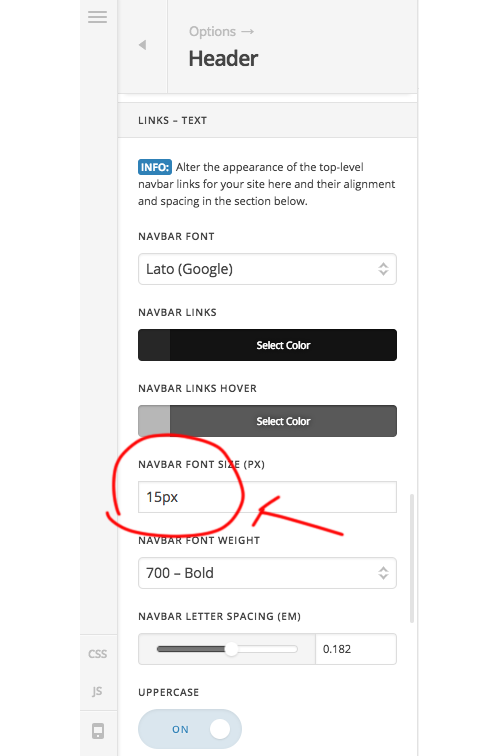
Hope this helps!
Thanks
This topic was automatically closed 10 days after the last reply. New replies are no longer allowed.