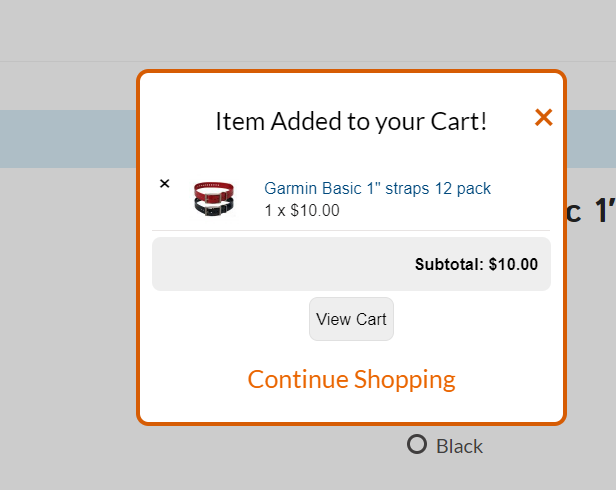
Changing code for view cart pop up to say checkout

Hi I had a request that when you add a product to the cart and the pop up shows up and you have the option to continue shopping or view cart, we would like the view cart to say checkout. Is this possible and if so does anyone have any thoughts on how to go about it and what the code might be to do so?

Thanks in advance!

Hello @odsadmin,

Thanks for asking. :slight_smile:

You are referring to a popup for View Cart. Can you please share website URL? I would like to take a look. Please note that custom development falls outside the scope of the support we offer. However, I will definitely try my level best to point you in right direction after taking a look at the website.

Thanks.

Ok thank you I appreciate it. Here is the url https://outdoordogsupply.com/

Hi There,

Are you referring to the following popup?

That popup is generated by Woocart Popup Lite for WooCommerce plugin. Please consult the plugin developer if there is an option on the plugin settings to customize the popup content and if there is none, unfortunately, it is only possible with customization that is outside the scope of our support. The plugin developer might help you with this. Thank you for understanding.

This topic was automatically closed 10 days after the last reply. New replies are no longer allowed.