Change video in ethos-business template

Hi,

I Installed the template http://demo.theme.co/ethos-business/

I can change the text in the slider revolution, but I can’t find how to change the background video.
I also looked at the Theme Options (Header), but can’t also not find it there…

Can you please advice me what to do?

Regards Ercole
Hi Ercole,

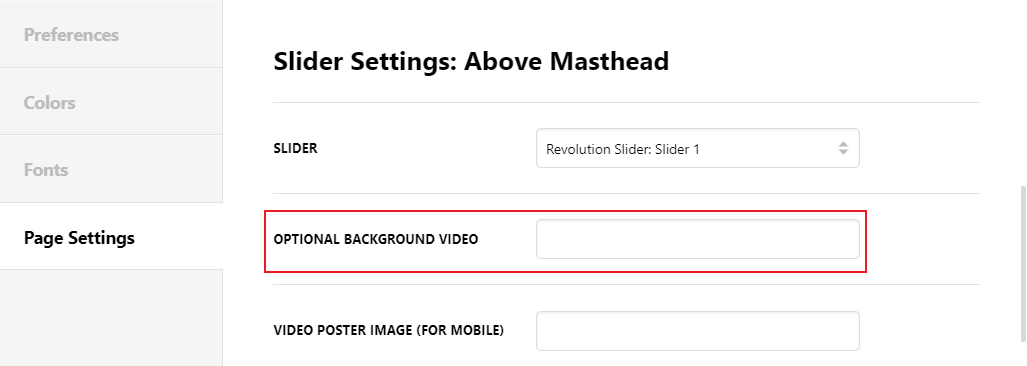
Thank you for reaching out to us. To change the background video, edit your homepage in Cornerstone / Content Builder, click on the cog icon (bottom left corner of the screen) to open the settings. Under Page Settings tab, find Slider Settings: Above Masthead and change the Optional Background Video URL with your own video URL (see screenshot)

Hope this helps!

Thanks Nabeel it works :grinning:

Super service!

Regards Ercole

You’re welcome!
We’re glad @Nabeel were able to help you out.

This topic was automatically closed 10 days after the last reply. New replies are no longer allowed.