Hey there,
how do I change the image thats displayed when sharing the url of my website on socialmedia.
You know, when you post a link to your website or add the url to a direct message. There will be a preview image and it is controlled by the website
thank for your help
Hello @zerotoone.de,
Thanks for writing in!
The image that is displayed when you share your site like in Facebook is usually coming from the featured image of the post or page. You can set a default image in X > Theme Options > Social > Social Fallback Image. And if you are using Yoast SEO plugin, you can set it in SEO > Social.
Hope this helps.
Thank you; I set the social fallback image, but it is still not displayed when sharing a link
Please check if you have enabled the Open Graph option which is responsible for sending your site’s information to Social Media sites. The option is in X > Theme Options > Social > Open Graph.
If you’re using another plugin (i.e. Yoast SEO) that has its own Open Graph feature, you will need to choose between our themes’ Open Graph feature or the plugin’s. You can’t use both as it could conflict like not displaying your image. If you choose your plugin, you need to disable our theme’s Open Graph.
If you’re not sure if one of your plugin has an Open Graph feature, please deactivate and test them one by one.
If you chose our theme’s Open Graph, please deactivate all third party plugins to ensure there’s no Open Graph feature interfering while we test. Then, give us the URL of the page having this issue.
Thanks.
I only got the option for open graph activated in the theme no other plugins involved
Hi There,
It seems the Facebook hasn’t scraped your new data of your website yet. Please go to this link https://developers.facebook.com/tools/debug/sharing/ then insert your URL.
After that click on the Scrape Again button:
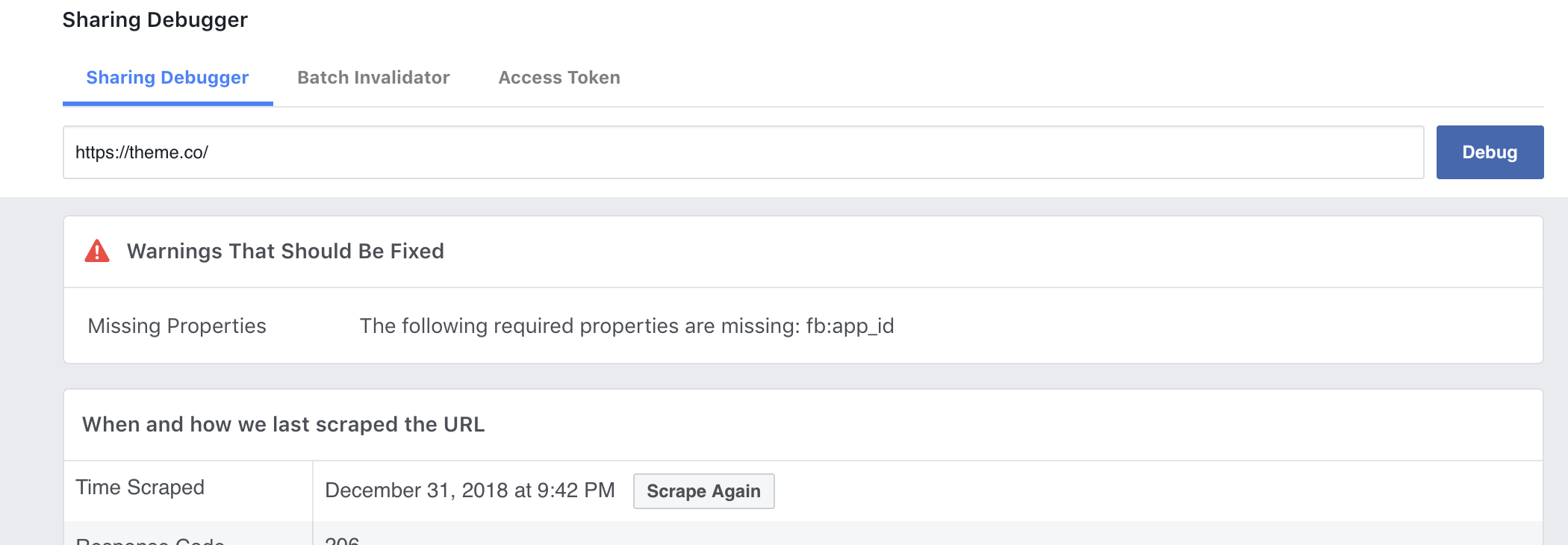
Let us know how it goes!
This topic was automatically closed 10 days after the last reply. New replies are no longer allowed.