Say, on this page https://drkarenkassebaum.com/inclusive-global-growth-mindset/. I want to change the words WHY, ACTION, REFLECT that are currently red to a specific red to match other red on the page. Can’t figure out how to change to ##fc264b. Thank you.
Hello @rkassebaum,
Thanks for writing in!
You have inserted this custom HTML in the Text element:
<p class="p1">
<span class="Apple-converted-space"> </span><span style="color: #ff0000;"><b>WHY</b>:</span> Select inclusive action(s) and explain your WHY?<br>
<span style="color: #ff0000;"><b>ACTION</b>:</span> What will your ACTION be to accomplish your inclusive action<br>
<span style="color: #ff0000;"><b>REFLECT</b>:</span> REFLECT on your learning, experience, challenges, celebrations, and growth<span class="Apple-converted-space"> </span>
</p>
Please remove any code or just change the color from #ff000; to #fc264b instead.
Best Regards.
Say, I can figure out how to insert this. Used to be a button to toggle. Can you give me some steps?

Hello @rkassebaum,
As per your given screenshot, it seems that you have added the custom HTML on the Rich Text mode. Please note when you insert the custom HTML tag I would suggest you please check the content editor into the HTML mode. Please have a look at the given screenshot below.
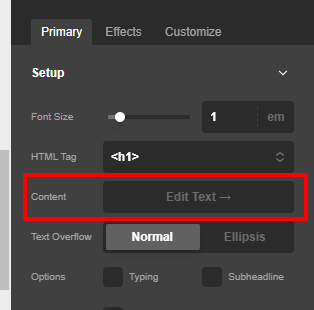
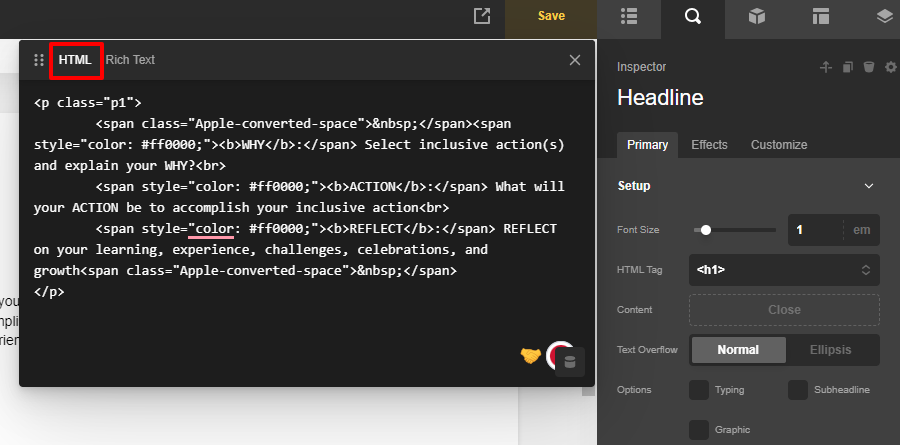
Hope it helps
Thanks
This topic was automatically closed 10 days after the last reply. New replies are no longer allowed.