Change padding for text element

I would like to change the default padding for a text element. I tried adding CSS directly for the text element, but that didn’t work. Can you point me in the right direction?

On the page that’s in my secure note, I want the text element in Section 3 to have less padding. Thanks.

Hello @eutaw,

Thanks for asking. :slight_smile:

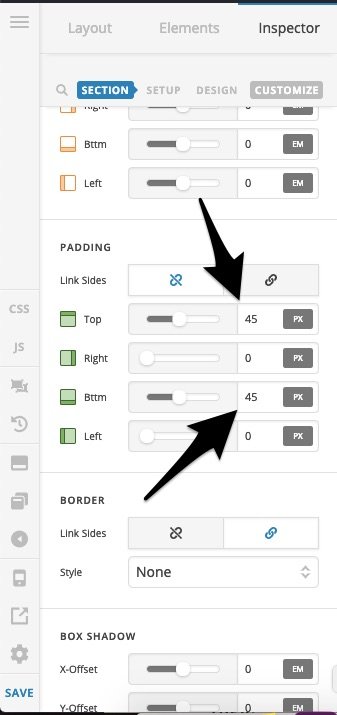
The padding needs to be adjusted on the section that’s holding the text element. However, it seems that advanced options are not activated on your website. You can do that from X > Settings > Permission > User Preference > Advanced Mode and select Always On.

After that you should see option to change padding values in section. All the needs to be done is change the padding top and padding bottom values as per your requirement.

Thanks.

Thank you soooo much for sharing this! I did not know about this setting.

You’re welcome.

This topic was automatically closed 10 days after the last reply. New replies are no longer allowed.