Change NavBar color on posts

Hello!

I have my navbar settings to be transparent on all my site pages, and then have a background image pulling up behind it. Which is working great, but not so much on my blog posts. It’s all white, because I obviously am not implementing a full width image at the top of the page.

https://grotonstationhouse.com/artist-spotlight-with-sue-marion/

Is there any way to add a background color on just the posts? I’ve looked on the forum here and tried most things and had no luck. Any tips or hints would be just great!

Thanks so much!
T
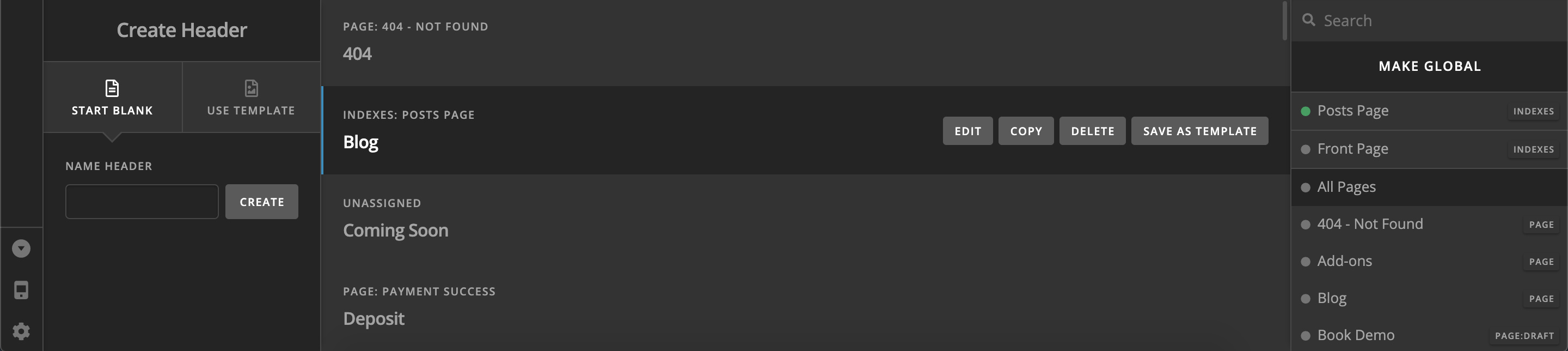
Hi @pettar2462,

You can create a separate header and assign this to your posts using the Headers section of Pro.

I hope this helps!
J

Hi J,

I’m being old school and not actually using Pro. One of these days I’ll explore Pro when I have more time to putz around with it.

I figured out it by adding a CSS gradient to the masthead!

.masthead .x-navbar {
background: linear-gradient(to bottom, black, transparent);
}

Thank you for your response though, I appreciate it. :slight_smile:

Cheers,
T

This topic was automatically closed 10 days after the last reply. New replies are no longer allowed.