Change Menu default icon

Hi,

Is there a way to change the default menu icon?

I have on the footer an Inline menu witch included a langage switcher from WPML. I would like to replace all the X by -

http://new.studio303.ca/en/mission/

I start to work something on the French side but it’s not clean and it might exist a better option than trying to hide the default one and force a new one in css.

Thank you
Hi @samueltheriault

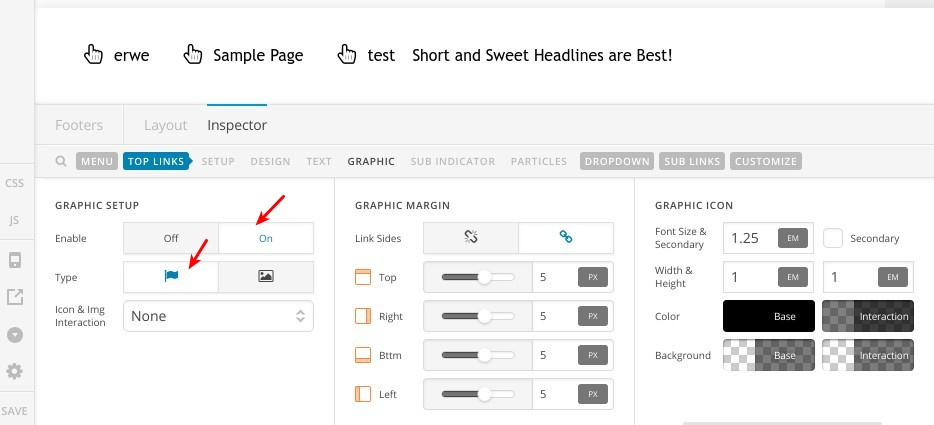
I wouldn’t recommend doing it in CSS because we have this functionality already, you will need to enable Graphic Setup in the navigation inline element as in this screenshot:

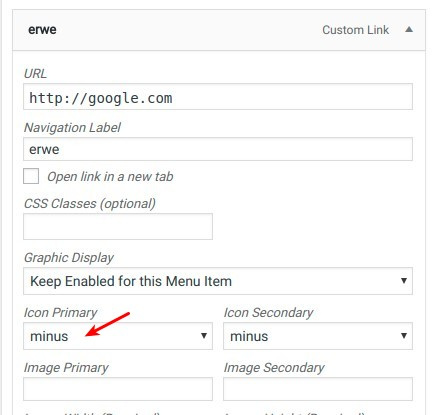
Then choose “minus” icon for your menu items icons as in this screenshot:

Thanks.

Yes it is exactly what I am doing except for the last item it is generated by WPML and the langage selector and it don’t show in the menu itself. So I can’t change the icon.

Is it possible to change the default icon for the whole site?

Regretfully, there’s no option for the default icon as the common workflow is to change the icon. There’s also not option go change WPML’s language switcher when integrated in the menu.

I’d recommend that you add the WPML language switcher separately by adding its shortcode in a Text element. This will also give you more flexibility.

Thanks.

Ok thank you

I will work it differently.

Hi @samueltheriault,

Let us know how it goes.

Thanks.

This topic was automatically closed 10 days after the last reply. New replies are no longer allowed.